

" transform="translate(70.969 12.47)" width="8.8692186560192px"/><path d="M 10.904 9.135 C 15.131 8.8 18.729 6.271 20.383 2.339 C 20.819 1.304 20.183 0.082 18.995 0.013 C 17.97 -0.049 17.398 0.451 17.006 1.294 C 14.261 7.212 5.947 6.976 3.324 1.013 C 3.004 0.289 2.156 -0.101 1.414 0.023 C 0.288 0.21 -0.311 1.388 0.164 2.438 C 1.019 4.321 2.1 5.747 3.408 6.714 C 4.821 7.758 6.096 8.441 7.231 8.763 C 7.615 8.871 8.5 8.995 9.886 9.135" fill="transparent" height="9.134825427627348px" id="tyAv8Jir8" stroke-dasharray="" stroke-linecap="butt" stroke-linejoin="miter" stroke-miterlimit="10" stroke-width="0.492958" stroke="rgb(153, 161, 178)" transform="translate(21.461 24.705)" width="20.52093041667934px"/><path d="M 3.413 12.624 C 3.411 9.128 3.412 5.595 3.415 2.026 C 3.415 0.653 2.515 -0.377 1.032 0.133 C 0.361 0.361 0.023 0.839 0.019 1.565 C -0.008 5.543 -0.006 9.805 0.023 14.35 C 0.028 15.318 1.142 15.885 1.983 15.895 C 3.715 15.913 5.547 15.916 7.479 15.903 C 8.734 15.895 9.237 14.922 8.931 13.753 C 8.76 13.096 8.331 12.758 7.645 12.74 C 6.18 12.702 4.817 12.709 3.555 12.76 C 3.46 12.765 3.413 12.72 3.413 12.624 Z" fill="transparent" height="15.910832277071556px" id="qpBGAhfQD" stroke-dasharray="" stroke-linecap="butt" stroke-linejoin="miter" stroke-miterlimit="10" stroke-width="0.492958" stroke="rgb(153, 161, 178)" transform="translate(10 7)" width="9.018269312652295px"/><path d="M 3.416 1.708 C 3.416 1.255 3.236 0.821 2.916 0.5 C 2.596 0.18 2.161 0 1.708 0 C 1.255 0 0.821 0.18 0.5 0.5 C 0.18 0.821 0 1.255 0 1.708 C 0 2.161 0.18 2.596 0.5 2.916 C 0.821 3.236 1.255 3.416 1.708 3.416 C 2.161 3.416 2.596 3.236 2.916 2.916 C 3.236 2.596 3.416 2.161 3.416 1.708 Z" fill="transparent" height="3.416190000000001px" id="T1Kgq4_yu" stroke-dasharray="" stroke-linecap="butt" stroke-linejoin="miter" stroke-miterlimit="10" stroke-width="0.492958" stroke="rgb(153, 161, 178)" transform="translate(21.488 7.116)" width="3.4162px"/><path d="M 3.406 1.703 C 3.406 1.251 3.227 0.818 2.907 0.499 C 2.588 0.179 2.155 0 1.703 0 C 1.252 0 0.818 0.179 0.499 0.499 C 0.179 0.818 0 1.251 0 1.703 C 0 2.155 0.179 2.588 0.499 2.907 C 0.818 3.227 1.252 3.406 1.703 3.406 C 2.155 3.406 2.588 3.227 2.907 2.907 C 3.227 2.588 3.406 2.155 3.406 1.703 Z" fill="transparent" height="3.4063499999999998px" id="DPGmu0cdz" stroke-dasharray="" stroke-linecap="butt" stroke-linejoin="miter" stroke-miterlimit="10" stroke-width="0.492958" stroke="rgb(153, 161, 178)" transform="translate(38.633 7.14)" width="3.406399999999998px"/><path d="M 11.248 5.251 C 11.215 3.825 10.592 2.471 9.514 1.486 C 8.437 0.502 6.994 -0.032 5.503 0.002 C 4.764 0.018 4.036 0.174 3.36 0.46 C 2.684 0.745 2.073 1.155 1.562 1.667 C 1.051 2.178 0.65 2.78 0.383 3.439 C 0.115 4.097 -0.015 4.8 0.001 5.506 C 0.034 6.932 0.657 8.286 1.735 9.27 C 2.812 10.255 4.255 10.789 5.747 10.755 C 6.485 10.738 7.213 10.583 7.889 10.297 C 8.565 10.011 9.176 9.601 9.687 9.09 C 10.198 8.579 10.599 7.977 10.866 7.318 C 11.134 6.659 11.264 5.957 11.248 5.251 Z" fill="transparent" height="10.756541431195998px" id="IPdmQXspC" stroke-dasharray="" stroke-linecap="butt" stroke-linejoin="miter" stroke-miterlimit="10" stroke-width="0.492958" stroke="rgb(153, 161, 178)" transform="translate(44.484 12.39)" width="11.249039839429123px"/><path d="M 3.401 1.641 C 3.401 1.206 3.228 0.789 2.921 0.481 C 2.613 0.173 2.195 0 1.76 0 L 1.642 0 C 1.206 0 0.789 0.173 0.481 0.481 C 0.173 0.789 0 1.206 0 1.641 L 0 8.858 C 0 9.294 0.173 9.711 0.481 10.019 C 0.789 10.327 1.206 10.5 1.642 10.5 L 1.76 10.5 C 2.195 10.5 2.613 10.327 2.921 10.019 C 3.228 9.711 3.401 9.294 3.401 8.858 Z" fill="transparent" height="10.499999999999998px" id="pdmGPoaGD" stroke-dasharray="" stroke-linecap="butt" stroke-linejoin="miter" stroke-miterlimit="10" stroke-width="0.492958" stroke="rgb(153, 161, 178)" transform="translate(38.648 12.548)" width="3.4013999999999953px"/><path d="M 8.558 0.022 C 7.116 0.16 6.936 1.437 6.959 2.628 C 6.977 3.533 6.992 4.478 7.003 5.462 C 7.01 6.039 6.895 6.483 6.658 6.793 C 5.931 7.747 4.346 7.801 3.663 6.697 C 3.476 6.395 3.382 5.898 3.382 5.206 C 3.379 4.1 3.385 3.042 3.4 2.031 C 3.419 0.7 2.837 0.023 1.652 0 C 0.575 -0.019 -0.022 0.937 0.001 1.891 C 0.028 3.077 0.036 4.398 0.023 5.854 C 0.016 6.636 0.103 7.285 0.284 7.801 C 0.94 9.662 2.663 10.525 4.56 10.587 C 5.84 10.628 6.958 10.485 7.913 10.16 C 9.786 9.519 10.454 7.614 10.397 5.696 C 10.361 4.462 10.376 3.257 10.441 2.081 C 10.508 0.934 9.791 -0.098 8.558 0.022 Z" fill="transparent" height="10.59351118138462px" id="Js4tIjV5P" stroke-dasharray="" stroke-linecap="butt" stroke-linejoin="miter" stroke-miterlimit="10" stroke-width="0.492958" stroke="rgb(153, 161, 178)" transform="translate(58.07 12.521)" width="10.445751050476524px"/><path d="M 3.424 1.647 C 3.425 1.211 3.252 0.793 2.944 0.484 C 2.637 0.175 2.219 0.001 1.783 0 L 1.659 0 C 1.444 0 1.23 0.042 1.03 0.124 C 0.831 0.206 0.649 0.327 0.496 0.479 C 0.343 0.632 0.222 0.813 0.139 1.012 C 0.056 1.212 0.013 1.425 0.013 1.641 L 0 8.848 C -0.001 9.284 0.172 9.703 0.48 10.012 C 0.787 10.32 1.205 10.494 1.641 10.495 L 1.764 10.495 C 1.98 10.496 2.194 10.454 2.394 10.371 C 2.593 10.289 2.775 10.168 2.928 10.016 C 3.081 9.863 3.202 9.682 3.285 9.483 C 3.368 9.284 3.411 9.07 3.411 8.854 Z" fill="transparent" height="10.49520564753829px" id="p5TkEYjBG" stroke-dasharray="" stroke-linecap="butt" stroke-linejoin="miter" stroke-miterlimit="10" stroke-width="0.492958" stroke="rgb(153, 161, 178)" transform="translate(21.484 12.577)" width="3.4238055404617214px"/><path d="M 3.125 5.596 C 3.056 3.643 4.065 2.789 6.152 3.032 C 6.746 3.101 7.362 3.387 7.966 3.224 C 8.584 3.06 8.862 2.634 8.802 1.945 C 8.632 0.013 5.896 -0.113 4.405 0.052 C 1.107 0.417 -0.838 4.053 0.352 7.077 C 1.261 9.386 3.027 10.51 5.649 10.449 C 6.928 10.417 9.125 10.054 8.829 8.329 C 8.681 7.476 7.919 7.01 7.042 7.237 C 5.538 7.629 4.089 7.851 3.266 6.177 C 3.179 6.001 3.132 5.808 3.125 5.596 Z" fill="transparent" height="10.451055867019708px" id="eTqggpWwO" stroke-dasharray="" stroke-linecap="butt" stroke-linejoin="miter" stroke-miterlimit="10" stroke-width="0.492958" stroke="rgb(153, 161, 178)" transform="translate(27.375 12.609)" width="8.855914635749372px"/><path d="M 2.581 4.85 C 3.192 4.784 3.75 4.465 4.133 3.965 C 4.515 3.464 4.691 2.823 4.622 2.181 C 4.587 1.864 4.493 1.556 4.346 1.275 C 4.198 0.994 3.999 0.746 3.761 0.544 C 3.523 0.343 3.25 0.192 2.957 0.101 C 2.664 0.01 2.358 -0.02 2.056 0.013 C 1.445 0.079 0.886 0.398 0.504 0.898 C 0.121 1.399 -0.055 2.04 0.015 2.682 C 0.049 2.999 0.143 3.307 0.291 3.588 C 0.438 3.869 0.637 4.117 0.875 4.318 C 1.114 4.52 1.387 4.67 1.68 4.762 C 1.972 4.853 2.279 4.883 2.581 4.85 Z" fill="transparent" height="4.862854092095976px" id="Oig4HheqA" stroke-dasharray="" stroke-linecap="butt" stroke-linejoin="miter" stroke-miterlimit="10" stroke-width="0.492958" stroke="rgb(153, 161, 178)" transform="translate(47.766 15.454)" width="4.636570281402413px"/><path d="M 3.555 12.76 C 4.817 12.709 6.18 12.702 7.645 12.74 C 8.331 12.758 8.76 13.096 8.931 13.753 C 9.237 14.922 8.734 15.895 7.479 15.903 C 5.547 15.916 3.715 15.913 1.983 15.895 C 1.142 15.885 0.028 15.318 0.023 14.35 C -0.006 9.805 -0.008 5.543 0.019 1.565 C 0.023 0.839 0.361 0.361 1.032 0.133 C 2.515 -0.377 3.415 0.653 3.415 2.026 C 3.412 5.595 3.411 9.128 3.413 12.624 C 3.413 12.72 3.46 12.765 3.555 12.76 Z" fill="rgb(153, 161, 178)" height="15.910832277071549px" id="Z3UvK0wX1" transform="translate(10 7)" width="9.018269312652299px"/><path d="M 1.708 3.416 C 2.651 3.416 3.416 2.651 3.416 1.708 C 3.416 0.765 2.651 0 1.708 0 C 0.765 0 0 0.765 0 1.708 C 0 2.651 0.765 3.416 1.708 3.416 Z" fill="rgb(153, 161, 178)" height="3.416190000000001px" id="szl2K9ToV" transform="translate(21.488 7.116)" width="3.4162px"/><path d="M 1.703 3.406 C 2.644 3.406 3.406 2.644 3.406 1.703 C 3.406 0.763 2.644 0 1.703 0 C 0.762 0 0 0.763 0 1.703 C 0 2.644 0.762 3.406 1.703 3.406 Z" fill="rgb(153, 161, 178)" height="3.4063599999999994px" id="Pc_fjVX77" transform="translate(38.633 7.136)" width="3.406399999999998px"/><path d="M 11.248 5.251 C 11.264 5.957 11.134 6.659 10.866 7.318 C 10.599 7.977 10.198 8.579 9.687 9.09 C 9.176 9.601 8.565 10.011 7.889 10.297 C 7.213 10.583 6.485 10.738 5.747 10.755 C 4.255 10.789 2.812 10.255 1.735 9.27 C 0.657 8.286 0.034 6.932 0.001 5.506 C -0.015 4.8 0.115 4.097 0.383 3.439 C 0.65 2.78 1.051 2.178 1.562 1.667 C 2.073 1.155 2.684 0.745 3.36 0.46 C 4.036 0.174 4.764 0.018 5.503 0.002 C 6.994 -0.032 8.437 0.502 9.514 1.486 C 10.592 2.471 11.215 3.825 11.248 5.251 Z M 5.865 7.915 C 6.476 7.849 7.034 7.53 7.417 7.03 C 7.8 6.529 7.975 5.888 7.906 5.246 C 7.871 4.929 7.777 4.621 7.63 4.34 C 7.482 4.059 7.284 3.811 7.045 3.61 C 6.807 3.408 6.534 3.258 6.241 3.166 C 5.948 3.075 5.642 3.045 5.34 3.078 C 4.729 3.144 4.171 3.463 3.788 3.963 C 3.405 4.464 3.229 5.105 3.299 5.747 C 3.334 6.064 3.427 6.372 3.575 6.653 C 3.723 6.934 3.921 7.182 4.159 7.384 C 4.398 7.585 4.671 7.736 4.964 7.827 C 5.256 7.918 5.563 7.948 5.865 7.915 Z" fill="rgb(153, 161, 178)" height="10.756541431195997px" id="XU70CNRTx" transform="translate(44.484 12.39)" width="11.24903983942912px"/><path d="M 8.869 6.511 L 8.869 8.111 C 8.567 8.945 7.956 9.57 7.038 9.984 C 6.427 10.26 5.981 10.519 5.273 10.534 C 4.225 10.555 3.37 10.502 2.71 10.373 C 1.389 10.12 -0.716 9.19 0.243 7.507 C 0.777 6.568 3.156 7.458 3.925 7.697 C 4.346 7.828 4.741 7.808 5.11 7.635 C 5.151 7.616 5.186 7.588 5.212 7.552 C 5.239 7.516 5.256 7.475 5.263 7.43 C 5.337 6.967 5.14 6.666 4.672 6.526 C 3.651 6.225 1.647 5.74 0.94 4.892 C 0.186 3.983 0.074 3.013 0.605 1.981 C 0.894 1.417 1.361 0.986 2.005 0.687 C 3.895 -0.196 6.695 -0.385 8.357 1.069 C 8.899 1.545 8.707 2.434 8.152 2.804 C 7.819 3.023 7.1 2.994 6.73 2.893 C 5.934 2.678 4.948 2.346 4.137 2.612 C 4.058 2.638 4.004 2.691 3.974 2.77 C 3.802 3.243 3.989 3.553 4.465 3.716 C 5.234 3.976 5.982 4.234 6.71 4.49 C 7.767 4.863 8.486 5.537 8.869 6.511 Z" fill="rgb(153, 161, 178)" height="10.538159647008065px" id="QkYcSW0KN" transform="translate(70.969 12.47)" width="8.869218656019214px"/><path d="M 1.76 0 L 1.642 0 C 0.735 0 0 0.735 0 1.641 L 0 8.858 C 0 9.765 0.735 10.5 1.642 10.5 L 1.76 10.5 C 2.666 10.5 3.401 9.765 3.401 8.858 L 3.401 1.641 C 3.401 0.735 2.666 0 1.76 0 Z" fill="rgb(153, 161, 178)" height="10.499999999999998px" id="UfeI8x_08" transform="translate(38.648 12.548)" width="3.4013999999999953px"/><path d="M 8.558 0.022 C 9.791 -0.098 10.508 0.934 10.441 2.081 C 10.376 3.257 10.361 4.462 10.397 5.696 C 10.454 7.614 9.786 9.519 7.913 10.16 C 6.958 10.485 5.84 10.628 4.56 10.587 C 2.663 10.525 0.94 9.662 0.284 7.801 C 0.103 7.285 0.016 6.636 0.023 5.854 C 0.036 4.398 0.028 3.077 0.001 1.891 C -0.022 0.937 0.575 -0.019 1.652 0 C 2.837 0.023 3.419 0.7 3.4 2.031 C 3.385 3.042 3.379 4.1 3.382 5.206 C 3.382 5.898 3.476 6.395 3.663 6.697 C 4.346 7.801 5.931 7.747 6.658 6.793 C 6.895 6.483 7.01 6.039 7.003 5.462 C 6.992 4.478 6.977 3.533 6.959 2.628 C 6.936 1.437 7.116 0.16 8.558 0.022 Z" fill="rgb(153, 161, 178)" height="10.59351118138462px" id="W7uUVjueS" transform="translate(58.07 12.521)" width="10.445751050476538px"/><path d="M 1.783 0 L 1.659 0 C 0.751 -0.002 0.014 0.733 0.013 1.641 L 0 8.848 C -0.002 9.756 0.733 10.493 1.641 10.495 L 1.764 10.495 C 2.672 10.497 3.41 9.762 3.411 8.854 L 3.424 1.647 C 3.425 0.739 2.691 0.002 1.783 0 Z" fill="rgb(153, 161, 178)" height="10.49520521671068px" id="b3hOh0Au4" transform="translate(21.485 12.574)" width="3.4238052163566515px"/><path d="M 3.125 5.596 C 3.132 5.808 3.179 6.001 3.266 6.177 C 4.089 7.851 5.538 7.629 7.042 7.237 C 7.919 7.01 8.681 7.476 8.829 8.329 C 9.125 10.054 6.928 10.417 5.649 10.449 C 3.027 10.51 1.261 9.386 0.352 7.077 C -0.838 4.053 1.107 0.417 4.405 0.052 C 5.896 -0.113 8.632 0.013 8.802 1.945 C 8.862 2.634 8.584 3.06 7.966 3.224 C 7.362 3.387 6.746 3.101 6.152 3.032 C 4.065 2.789 3.056 3.643 3.125 5.596 Z" fill="rgb(153, 161, 178)" height="10.451055867019708px" id="vELHB2FGi" transform="translate(27.375 12.609)" width="8.855914635749375px"/><path d="M 10.904 9.135 L 9.886 9.135 C 8.5 8.995 7.615 8.871 7.231 8.763 C 6.096 8.441 4.821 7.758 3.408 6.714 C 2.1 5.747 1.019 4.321 0.164 2.438 C -0.311 1.388 0.288 0.21 1.414 0.023 C 2.156 -0.101 3.004 0.289 3.324 1.013 C 5.947 6.976 14.261 7.212 17.006 1.294 C 17.398 0.451 17.97 -0.049 18.995 0.013 C 20.183 0.082 20.819 1.304 20.383 2.339 C 18.729 6.271 15.131 8.8 10.904 9.135 Z" fill="rgb(153, 161, 178)" height="9.13482542762734px" id="V2dohbFSK" transform="translate(21.465 24.705)" width="20.520930416679352px"/><path d="M 0.123 1.972 C 0.055 1.972 0 1.917 0 1.849 L 0 0.123 C 0 0.055 0.055 0 0.123 0 L 0.123 0 C 0.191 0 0.246 0.055 0.246 0.123 L 0.246 1.849 C 0.246 1.917 0.191 1.972 0.123 1.972 Z" fill="rgb(153, 161, 178)" height="1.971829999999997px" id="pEo0jBzIb" transform="translate(79.754 18.83)" width="1px"/></svg>)
" height="21.473075959313658px" id="h2J3J9nvu" transform="translate(10 9)" width="24.948412982657945px"/><path d="M 0.054 2.111 C 0.627 1.712 1.224 1.308 1.846 0.898 C 2.233 0.644 2.628 0.466 3.03 0.366 C 3.532 0.242 4.036 0.126 4.542 0.017 C 4.808 -0.04 4.862 0.044 4.705 0.268 L 4.326 0.811 C 4.188 1.009 3.999 1.12 3.759 1.145 C 2.961 1.226 2.113 1.459 1.216 1.845 C 0.854 1.999 0.457 2.08 0.076 2.163 C -0.017 2.182 -0.025 2.164 0.054 2.111 Z" fill="rgb(153, 161, 178)" height="2.1702571567135465px" id="DecNCSq_7" transform="translate(17.27 10.537)" width="4.7925780877751905px"/><path d="M 2.256 0.523 C 2.722 0.683 2.953 0.968 3.344 1.199 C 3.767 1.452 4.177 1.711 4.576 1.976 C 4.723 2.073 4.708 2.123 4.532 2.126 C 4.334 2.131 4.159 1.958 3.965 1.908 C 3.424 1.772 2.892 1.604 2.369 1.404 C 1.883 1.221 1.346 1.202 0.825 1.119 C 0.71 1.1 0.619 1.042 0.552 0.947 L 0.077 0.26 C -0.064 0.055 -0.012 -0.029 0.234 0.009 C 0.845 0.102 1.518 0.273 2.256 0.523 Z" fill="rgb(153, 161, 178)" height="2.1263062658974174px" id="zNK7gZ5uQ" transform="translate(22.828 10.53)" width="4.675970359731931px"/><path d="M 4.467 0.194 C 4.393 0.143 4.303 0.12 4.213 0.13 C 4.123 0.141 4.041 0.184 3.981 0.251 C 3.723 0.542 3.447 0.803 3.152 1.036 C 3.093 1.083 3.026 1.102 2.952 1.095 L 0.064 0.851 C -0.02 0.843 -0.021 0.827 0.06 0.803 C 0.594 0.637 1.131 0.676 1.685 0.524 C 2.426 0.319 3.307 0.325 4.033 0.053 C 4.471 -0.113 4.905 0.159 5.341 0.227 C 5.997 0.327 6.669 0.452 7.359 0.6 C 7.67 0.668 7.991 0.65 8.314 0.676 C 8.327 0.678 8.335 0.685 8.34 0.698 C 8.349 0.72 8.349 0.74 8.34 0.757 C 8.33 0.776 8.315 0.788 8.296 0.792 C 7.44 0.953 6.551 1.035 5.629 1.036 C 5.154 1.036 4.831 0.452 4.467 0.194 Z" fill="rgb(153, 161, 178)" height="1.0964096296482442px" id="C5vn_ROMh" transform="translate(18.227 12.302)" width="8.34638219478462px"/><path d="M 5.965 1.171 C 5.227 1.365 4.466 1.48 3.721 1.548 C 3.25 1.592 2.89 1.313 2.447 1.23 C 2.055 1.156 1.645 1.041 1.219 0.885 C 1.145 0.859 1.064 0.862 0.993 0.894 C 0.655 1.045 0.347 1.219 0.066 1.417 C 0.059 1.422 0.052 1.42 0.046 1.413 L 0.011 1.369 C -0.005 1.349 -0.004 1.329 0.014 1.31 L 1.115 0.083 C 1.149 0.045 1.193 0.018 1.243 0.007 C 1.292 -0.005 1.344 -0.001 1.392 0.017 C 2.183 0.328 2.984 0.624 3.797 0.905 C 4.46 1.136 5.265 1.027 5.956 1.077 C 6.145 1.09 6.148 1.121 5.965 1.171 Z" fill="rgb(153, 161, 178)" height="1.5526198904297246px" id="QCeOB8pFF" transform="translate(15.82 13.227)" width="6.099808025532379px"/><path d="M 4.553 0.961 C 3.982 1.13 3.384 1.289 2.761 1.439 C 2.368 1.533 1.921 1.522 1.535 1.41 C 1.041 1.267 0.549 1.192 0.061 1.186 C 0.02 1.186 0 1.166 0 1.125 L 0 1.055 C 0 1.046 0.004 1.042 0.013 1.042 C 0.467 1.011 0.936 0.991 1.42 0.981 C 1.885 0.969 2.319 0.882 2.724 0.719 C 3.426 0.433 4.102 0.197 4.752 0.011 C 4.836 -0.014 4.908 0.005 4.967 0.067 L 6.114 1.243 C 6.234 1.365 6.212 1.401 6.049 1.352 C 5.497 1.184 5.22 0.765 4.553 0.961 Z" fill="rgb(153, 161, 178)" height="1.5022015851844497px" id="itStp2LxJ" transform="translate(22.992 13.265)" width="6.190070321699562px"/><path d="M 3.463 6.928 L 5.829 6.943 C 5.985 6.944 6.135 7.006 6.245 7.116 C 6.356 7.226 6.419 7.376 6.42 7.532 L 6.428 8.936 C 6.429 9.015 6.414 9.093 6.385 9.165 C 6.355 9.238 6.311 9.304 6.256 9.36 C 6.2 9.416 6.135 9.46 6.062 9.49 C 5.989 9.52 5.912 9.536 5.833 9.536 L 0.75 9.549 C 0.675 9.549 0.605 9.527 0.543 9.481 C 0.188 9.227 0.01 8.89 0.009 8.472 C 0.003 5.826 0 3.295 0 0.879 C 0 0.292 0.294 -0.001 0.881 0 L 5.886 0.002 C 5.958 0.003 6.03 0.017 6.097 0.045 C 6.164 0.073 6.225 0.114 6.276 0.166 C 6.327 0.217 6.367 0.278 6.395 0.345 C 6.422 0.412 6.436 0.484 6.435 0.556 L 6.426 2.017 C 6.426 2.161 6.368 2.299 6.267 2.4 C 6.165 2.502 6.027 2.56 5.883 2.56 L 3.578 2.569 C 3.356 2.569 3.244 2.681 3.243 2.905 L 3.241 3.264 C 3.239 3.491 3.352 3.605 3.578 3.605 L 5.181 3.602 C 5.253 3.602 5.325 3.617 5.391 3.645 C 5.457 3.673 5.517 3.715 5.567 3.767 C 5.617 3.819 5.656 3.88 5.681 3.947 C 5.707 4.015 5.718 4.087 5.715 4.159 L 5.663 5.554 C 5.651 5.864 5.491 6.021 5.181 6.025 L 3.465 6.051 C 3.308 6.054 3.23 6.133 3.23 6.289 L 3.23 6.692 C 3.23 6.849 3.307 6.928 3.463 6.928 Z" fill="rgb(153, 161, 178)" height="9.549004994901813px" id="YzDMmd0n_" transform="translate(38.031 14.961)" width="6.435113206955123px"/><path d="M 3.304 6.659 C 3.305 7.303 3.304 7.971 3.299 8.663 C 3.295 9.346 2.965 9.683 2.309 9.673 C 1.657 9.664 -0.002 9.923 0 8.824 C 0.003 6.293 0.005 3.659 0.007 0.922 C 0.007 0.361 0.508 0.052 1.025 0.034 C 2.615 -0.017 4.251 -0.011 5.931 0.052 C 6.039 0.056 6.141 0.098 6.221 0.169 C 6.301 0.241 6.354 0.338 6.37 0.444 C 6.466 1.069 6.463 1.667 6.361 2.239 C 6.31 2.527 6.139 2.668 5.846 2.664 L 3.568 2.633 C 3.368 2.631 3.27 2.729 3.273 2.93 L 3.286 3.654 C 3.291 3.847 3.39 3.938 3.583 3.927 C 4.109 3.895 4.616 3.886 5.105 3.9 C 5.477 3.912 5.678 4.131 5.709 4.557 C 5.748 5.098 5.741 5.577 5.687 5.996 C 5.677 6.07 5.645 6.132 5.591 6.181 C 5.159 6.572 4.063 6.432 3.507 6.447 C 3.371 6.452 3.304 6.522 3.304 6.659 Z" fill="rgb(153, 161, 178)" height="9.693358710603905px" id="JL_dicinf" transform="translate(61.402 14.963)" width="6.439490738878341px"/><path d="M 2.341 0 L 0.853 0.003 C 0.381 0.003 -0.001 0.387 0 0.859 L 0.014 8.783 C 0.015 9.255 0.398 9.637 0.87 9.637 L 2.357 9.634 C 2.829 9.633 3.212 9.25 3.211 8.778 L 3.197 0.853 C 3.196 0.381 2.813 -0.001 2.341 0 Z" fill="rgb(153, 161, 178)" height="9.636502840890087px" id="OZy_96rcX" transform="translate(68.076 14.973)" width="3.2106028408900897px"/><path d="M 2.472 3.336 C 1.593 3.371 -0.003 3.644 0.023 2.277 C 0.043 1.221 -0.324 -0.011 1.273 0 C 3.565 0.015 5.752 0.02 7.834 0.017 C 7.997 0.017 8.153 0.08 8.269 0.194 C 8.385 0.308 8.451 0.463 8.453 0.626 C 8.465 1.297 8.467 2 8.46 2.735 C 8.451 3.506 6.691 3.365 6.238 3.345 C 5.997 3.333 5.879 3.449 5.885 3.692 C 5.925 5.556 5.942 7.194 5.935 8.607 C 5.932 9.207 5.635 9.534 5.043 9.588 C 4.339 9.654 2.57 9.861 2.55 8.681 C 2.52 6.816 2.539 5.079 2.607 3.472 C 2.61 3.379 2.565 3.333 2.472 3.336 Z" fill="rgb(153, 161, 178)" height="9.644469040933044px" id="MkoUkc31F" transform="translate(52.461 15.005)" width="8.464159795178624px"/><path d="M 8.29 0.337 L 8.29 3.056 C 7.884 3.468 6.613 3.331 5.994 3.412 C 5.921 3.42 5.885 3.462 5.885 3.536 L 5.891 8.831 C 5.891 9.033 5.811 9.226 5.669 9.369 C 5.526 9.513 5.332 9.593 5.13 9.594 L 3.499 9.6 C 3.378 9.601 3.257 9.577 3.145 9.531 C 3.032 9.484 2.93 9.416 2.844 9.33 C 2.758 9.244 2.69 9.142 2.643 9.03 C 2.596 8.918 2.572 8.797 2.572 8.676 L 2.568 3.538 C 2.568 3.511 2.563 3.483 2.552 3.458 C 2.541 3.432 2.525 3.409 2.506 3.39 C 2.486 3.371 2.462 3.356 2.437 3.346 C 2.411 3.336 2.384 3.332 2.357 3.333 C 1.798 3.357 1.239 3.341 0.677 3.285 C 0.515 3.27 0.364 3.198 0.249 3.083 C 0.134 2.967 0.064 2.815 0.049 2.653 C -0.001 2.068 -0.013 1.469 0.015 0.854 C 0.042 0.291 0.337 0.009 0.9 0.008 C 3.171 0.001 5.513 -0.002 7.926 0.001 C 8.007 0.001 8.079 0.028 8.14 0.082 C 8.206 0.143 8.257 0.228 8.29 0.337 Z" fill="rgb(153, 161, 178)" height="9.600341885416299px" id="NLdzclGW8" transform="translate(71.711 15.019)" width="8.290070129793747px"/><path d="M 5.227 7.861 L 3.729 7.872 C 3.687 7.872 3.647 7.885 3.612 7.908 C 3.578 7.931 3.552 7.965 3.537 8.003 C 3.348 8.476 3.167 9.483 2.512 9.503 C 2.021 9.519 1.549 9.529 1.095 9.532 C 0.417 9.538 -0.168 9.274 0.044 8.463 C 0.711 5.929 1.424 3.299 2.183 0.571 C 2.229 0.407 2.327 0.262 2.463 0.159 C 2.599 0.056 2.765 0 2.935 0 L 6.15 0.002 C 6.281 0.002 6.409 0.041 6.518 0.114 C 6.627 0.186 6.712 0.289 6.762 0.41 C 7.098 1.217 7.216 2.048 7.443 2.878 C 7.904 4.562 8.354 6.248 8.793 7.938 C 8.969 8.614 9.126 9.538 8.143 9.553 C 7.635 9.562 7.142 9.569 6.662 9.575 C 5.929 9.584 5.681 8.507 5.443 7.996 C 5.401 7.905 5.329 7.86 5.227 7.861 Z M 4.944 4.189 C 4.782 3.86 4.822 3.482 4.438 3.299 C 4.355 3.26 4.301 3.285 4.277 3.376 C 4.153 3.844 3.968 4.323 3.72 4.813 C 3.707 4.839 3.701 4.868 3.702 4.897 C 3.703 4.927 3.711 4.955 3.726 4.98 C 3.741 5.006 3.762 5.027 3.788 5.041 C 3.813 5.056 3.842 5.065 3.871 5.066 L 5.038 5.096 C 5.068 5.097 5.098 5.091 5.125 5.077 C 5.153 5.064 5.176 5.045 5.194 5.02 C 5.212 4.996 5.224 4.968 5.228 4.938 C 5.232 4.908 5.229 4.878 5.219 4.85 C 5.134 4.613 5.043 4.392 4.944 4.189 Z" fill="rgb(153, 161, 178)" height="9.575152383655952px" id="YXJ5vAXFK" transform="translate(44.688 15.054)" width="8.923967615542827px"/><path d="M 4.579 2.973 C 4.505 3.018 4.422 3.047 4.335 3.058 C 3.912 3.112 3.509 3.225 3.125 3.398 C 3.04 3.437 2.946 3.449 2.854 3.433 C 2.763 3.416 2.679 3.372 2.612 3.307 C 2.028 2.734 1.488 2.227 0.992 1.787 C 0.561 1.405 0.234 0.838 0.013 0.088 C -0.017 -0.013 0.005 -0.027 0.081 0.047 L 2.722 2.616 C 2.823 2.715 2.957 2.775 3.099 2.784 C 3.638 2.817 4.186 2.76 4.743 2.611 C 4.823 2.589 4.904 2.584 4.985 2.594 C 5.114 2.611 5.123 2.653 5.011 2.718 Z" fill="rgb(153, 161, 178)" height="3.439717238708461px" id="BvyQp1rmW" transform="translate(12.727 20.183)" width="5.0890722415332945px"/><path d="M 2.348 2.72 C 3.239 1.811 4.15 0.938 5.08 0.099 C 5.249 -0.054 5.28 -0.03 5.174 0.171 C 5.03 0.443 4.902 0.729 4.79 1.03 C 4.71 1.247 4.6 1.419 4.459 1.547 C 3.793 2.144 3.188 2.721 2.644 3.276 C 2.566 3.355 2.467 3.41 2.359 3.434 C 2.251 3.458 2.138 3.451 2.034 3.413 L 0.019 2.685 C 0.003 2.681 -0.003 2.671 0.001 2.655 L 0.017 2.596 C 0.018 2.587 0.023 2.584 0.032 2.587 C 0.737 2.731 1.443 2.803 2.149 2.803 C 2.226 2.803 2.292 2.775 2.348 2.72 Z" fill="rgb(153, 161, 178)" height="3.4482227698733574px" id="UxNlVyhb1" transform="translate(27.023 20.157)" width="5.235325466437537px"/><path d="M 0.19 0.394 C 0.615 0.775 1.431 0.83 1.98 0.596 C 2.492 0.38 2.997 0.182 3.496 0.003 C 3.522 -0.005 3.541 0.003 3.553 0.027 L 3.574 0.08 C 3.579 0.09 3.576 0.097 3.566 0.101 C 2.904 0.449 2.296 0.799 1.74 1.153 C 1.434 1.349 1.05 1.378 0.589 1.24 C 0.502 1.213 0.422 1.167 0.355 1.106 C 0.288 1.044 0.236 0.969 0.203 0.884 L 0.046 0.494 C -0.047 0.258 0.001 0.225 0.19 0.394 Z" fill="rgb(153, 161, 178)" height="1.3253547858377104px" id="dZq_m0gyz" transform="translate(14.117 23.793)" width="3.576234948198346px"/><path d="M 1.877 1.175 C 1.262 0.879 0.626 0.493 0.037 0.139 C 0 0.118 -0.009 0.087 0.008 0.048 C 0.027 0.004 0.06 -0.01 0.107 0.006 C 0.508 0.142 0.916 0.294 1.33 0.464 C 1.919 0.706 2.553 0.711 3.107 0.399 C 3.453 0.204 3.513 0.27 3.288 0.595 C 3.218 0.697 3.159 0.807 3.111 0.924 C 3.082 0.997 3.026 1.056 2.954 1.088 C 2.524 1.284 2.165 1.313 1.877 1.175 Z" fill="rgb(153, 161, 178)" height="1.2608306641100349px" id="yXc5CWKxa" transform="translate(27.383 23.866)" width="3.421461763128441px"/></svg>)
" height="14.25681888878473px" id="XhT55X_6M" transform="translate(33.973 11)" width="14.21741351481647px"/><path d="M 10.743 0.018 L 10.743 13.77 L 7.827 13.77 C 7.728 13.77 7.668 13.722 7.646 13.627 C 7.602 13.437 7.589 13.231 7.608 13.01 C 7.636 12.7 7.546 12.661 7.339 12.893 C 6.872 13.416 6.203 13.766 5.331 13.945 C 4.688 14.075 3.696 14.079 3.042 13.863 C 1.487 13.346 0.531 12.228 0.175 10.508 C -0.289 8.255 0.086 5.394 2.322 4.237 C 3.789 3.477 6.139 3.475 7.275 4.891 C 7.444 5.101 7.527 5.072 7.524 4.802 L 7.496 0.161 C 7.495 0.14 7.499 0.119 7.507 0.1 C 7.515 0.08 7.527 0.062 7.542 0.047 C 7.557 0.032 7.575 0.021 7.595 0.012 C 7.614 0.004 7.636 0 7.657 0 Z M 7.552 8.244 C 7.556 8.007 7.513 7.772 7.426 7.552 C 7.339 7.332 7.209 7.131 7.045 6.961 C 6.88 6.791 6.683 6.655 6.466 6.561 C 6.249 6.467 6.015 6.417 5.778 6.413 L 5.465 6.408 C 5.228 6.404 4.993 6.447 4.773 6.534 C 4.553 6.622 4.352 6.751 4.182 6.916 C 4.012 7.081 3.876 7.277 3.782 7.494 C 3.688 7.712 3.638 7.945 3.634 8.182 L 3.613 9.534 C 3.609 9.77 3.652 10.005 3.739 10.225 C 3.826 10.446 3.956 10.646 4.121 10.816 C 4.285 10.986 4.482 11.122 4.699 11.216 C 4.917 11.31 5.15 11.36 5.387 11.364 L 5.7 11.369 C 5.937 11.373 6.172 11.33 6.392 11.243 C 6.612 11.156 6.813 11.026 6.983 10.861 C 7.153 10.697 7.289 10.5 7.383 10.283 C 7.477 10.065 7.527 9.832 7.531 9.595 Z" fill="rgb(153, 161, 178)" height="14.03542791244449px" id="YQWAzOJWi" transform="translate(69.254 11.254)" width="10.742952856579663px"/><path d="M 3.442 0.993 C 4.348 -0.191 5.984 -0.398 6.945 0.819 C 7.23 1.178 7.344 1.582 7.29 2.032 C 7.062 3.898 4.864 4.377 3.744 2.955 C 3.735 2.943 3.723 2.934 3.71 2.929 C 3.696 2.923 3.682 2.92 3.667 2.921 C 3.652 2.922 3.638 2.926 3.625 2.933 C 3.613 2.941 3.602 2.951 3.594 2.964 C 3.471 3.16 3.408 3.386 3.406 3.644 C 3.401 5.785 3.403 7.839 3.413 9.805 C 3.413 9.837 3.407 9.868 3.395 9.898 C 3.383 9.927 3.365 9.954 3.343 9.977 C 3.32 10 3.293 10.018 3.263 10.03 C 3.234 10.042 3.202 10.048 3.17 10.048 L 0.214 10.021 C 0.168 10.021 0.124 10.003 0.092 9.971 C 0.059 9.938 0.04 9.895 0.04 9.849 L 0 0.552 C -0.001 0.385 0.082 0.302 0.25 0.302 L 3.292 0.322 C 3.392 0.322 3.437 0.372 3.426 0.472 C 3.413 0.609 3.376 0.749 3.314 0.892 C 3.299 0.923 3.306 0.948 3.334 0.969 L 3.38 1.002 C 3.404 1.02 3.424 1.017 3.442 0.993 Z" fill="rgb(153, 161, 178)" height="10.047511339562394px" id="PfhqsMNqN" transform="translate(49.816 14.996)" width="7.303068249611428px"/><path d="M 6.975 9.058 C 6.975 9.041 6.971 9.025 6.962 9.011 C 6.953 8.998 6.94 8.987 6.925 8.981 C 6.909 8.975 6.893 8.974 6.877 8.978 C 6.861 8.981 6.846 8.99 6.836 9.002 C 6.155 9.762 5.272 10.176 4.185 10.244 C 3.515 10.286 2.627 10.272 2.004 10.047 C 0.504 9.507 -0.155 8.413 0.03 6.767 C 0.193 5.305 1.373 4.494 2.74 4.293 C 4.029 4.103 5.353 4.024 6.714 4.057 C 6.767 4.059 6.819 4.04 6.858 4.004 C 6.898 3.969 6.922 3.92 6.926 3.867 C 7.07 2.06 5.252 1.848 4.138 2.608 C 4.048 2.669 3.98 2.758 3.944 2.862 L 3.807 3.255 C 3.773 3.351 3.706 3.399 3.606 3.401 L 0.504 3.443 C 0.476 3.443 0.449 3.432 0.429 3.413 C 0.408 3.394 0.396 3.369 0.394 3.341 C 0.253 1.364 2.272 0.293 3.906 0.087 C 4.927 -0.039 5.951 -0.028 6.977 0.121 C 9.825 0.531 10.403 2.522 10.35 5.075 C 10.313 6.824 10.31 8.424 10.339 9.873 C 10.34 9.893 10.336 9.913 10.329 9.932 C 10.322 9.951 10.31 9.969 10.296 9.983 C 10.282 9.998 10.265 10.01 10.246 10.017 C 10.227 10.025 10.207 10.03 10.187 10.03 L 7.152 10.032 C 7.125 10.032 7.099 10.026 7.074 10.016 C 7.05 10.006 7.028 9.991 7.009 9.972 C 6.991 9.953 6.976 9.931 6.967 9.906 C 6.957 9.881 6.952 9.855 6.953 9.829 Z M 4.273 7.874 C 5.097 8.061 6.405 7.969 6.763 7.041 C 6.884 6.73 6.961 6.389 6.995 6.016 C 6.996 5.998 6.994 5.981 6.988 5.964 C 6.983 5.947 6.973 5.932 6.961 5.919 C 6.949 5.906 6.934 5.896 6.918 5.889 C 6.902 5.882 6.884 5.879 6.867 5.879 C 5.881 5.897 4.79 5.788 3.858 6.168 C 3.784 6.198 3.729 6.249 3.692 6.323 C 3.396 6.922 3.535 7.706 4.273 7.874 Z" fill="rgb(153, 161, 178)" height="10.262585538849692px" id="blih2g9xU" transform="translate(57.505 15.006)" width="10.353473091567496px"/><path d="M 3.442 9.083 L 3.451 13.775 C 3.451 13.791 3.448 13.807 3.442 13.823 C 3.435 13.838 3.426 13.852 3.414 13.864 C 3.403 13.875 3.389 13.885 3.373 13.891 C 3.358 13.897 3.342 13.9 3.325 13.9 L 0.235 13.887 C 0.203 13.887 0.171 13.881 0.141 13.868 C 0.111 13.855 0.085 13.836 0.063 13.812 C 0.041 13.788 0.024 13.76 0.013 13.729 C 0.002 13.698 -0.002 13.666 0.001 13.633 C 0.048 13.012 0.069 12.336 0.065 11.608 C 0.035 7.803 0.024 4.113 0.032 0.539 C 0.032 0.466 0.06 0.396 0.112 0.345 C 0.163 0.293 0.233 0.263 0.305 0.263 L 3.058 0.247 C 3.132 0.247 3.204 0.273 3.26 0.321 C 3.317 0.369 3.354 0.437 3.365 0.51 C 3.393 0.687 3.396 0.862 3.374 1.034 C 3.336 1.316 3.415 1.355 3.612 1.149 C 4.242 0.488 5.09 0 6.045 0 C 6.491 0 6.913 0.014 7.31 0.042 C 9.444 0.194 10.768 2.299 10.942 4.219 C 11.09 5.838 10.896 7.559 9.818 8.798 C 9.151 9.567 8.376 10.027 7.494 10.179 C 6.182 10.402 5.022 10.185 4.015 9.527 C 3.813 9.394 3.718 9.224 3.577 9.039 C 3.487 8.921 3.442 8.936 3.442 9.083 Z M 7.34 4.45 C 7.34 4.213 7.293 3.978 7.202 3.759 C 7.111 3.54 6.977 3.342 6.809 3.174 C 6.641 3.007 6.442 2.875 6.223 2.784 C 6.004 2.694 5.769 2.648 5.532 2.648 L 5.232 2.649 C 4.995 2.649 4.76 2.696 4.541 2.787 C 4.323 2.878 4.124 3.012 3.957 3.179 C 3.789 3.347 3.657 3.546 3.566 3.766 C 3.476 3.985 3.43 4.219 3.43 4.456 L 3.432 5.764 C 3.433 6.001 3.48 6.236 3.571 6.454 C 3.662 6.673 3.795 6.872 3.963 7.039 C 4.131 7.207 4.33 7.339 4.549 7.429 C 4.769 7.52 5.003 7.566 5.24 7.566 L 5.541 7.565 C 5.778 7.565 6.012 7.518 6.231 7.426 C 6.45 7.335 6.649 7.202 6.816 7.034 C 6.983 6.866 7.116 6.667 7.206 6.448 C 7.297 6.229 7.343 5.994 7.343 5.757 Z" fill="rgb(153, 161, 178)" height="13.9004px" id="ckQ9AMdhC" transform="translate(21.766 15.025)" width="10.985725722750596px"/><path d="M 6.74 8.727 C 6.739 8.712 6.734 8.698 6.725 8.686 C 6.716 8.674 6.703 8.665 6.689 8.66 C 6.675 8.655 6.659 8.655 6.645 8.659 C 6.63 8.663 6.617 8.672 6.608 8.683 C 5.914 9.552 5.011 10 3.897 10.026 C 2.14 10.067 0.974 9.459 0.398 8.201 C 0.104 7.555 -0.028 6.457 0.005 4.906 C 0.034 3.497 0.041 1.956 0.025 0.285 C 0.023 0.102 0.114 0.01 0.296 0.009 L 3.071 0 C 3.317 0 3.44 0.123 3.44 0.369 C 3.43 2.112 3.429 3.943 3.438 5.86 C 3.442 6.717 3.884 7.214 4.763 7.351 C 5.469 7.462 6.014 7.271 6.4 6.779 C 6.625 6.492 6.74 6.046 6.743 5.44 C 6.753 3.872 6.744 2.154 6.716 0.285 C 6.713 0.108 6.8 0.02 6.977 0.02 L 10.025 0.009 C 10.043 0.009 10.061 0.012 10.077 0.019 C 10.094 0.026 10.109 0.036 10.121 0.049 C 10.134 0.062 10.144 0.077 10.15 0.094 C 10.157 0.11 10.16 0.128 10.16 0.146 C 10.142 2.983 10.13 5.862 10.125 8.78 C 10.123 9.056 10.142 9.317 10.182 9.564 C 10.186 9.589 10.184 9.615 10.178 9.639 C 10.171 9.663 10.159 9.686 10.143 9.705 C 10.127 9.724 10.106 9.739 10.084 9.75 C 10.061 9.76 10.037 9.765 10.012 9.765 L 7.014 9.77 C 6.949 9.77 6.887 9.745 6.84 9.701 C 6.793 9.655 6.766 9.594 6.765 9.529 Z" fill="rgb(153, 161, 178)" height="10.027969622151485px" id="K5VbudOfi" transform="translate(10 15.269)" width="10.184054081734157px"/></svg>)
" height="12.231287753428036px" id="DVFhVQ2gg" transform="translate(10 14.004)" width="14.195599648231399px"/><path d="M 15.053 9.781 C 13.418 11.648 10.611 12.388 8.112 12.34 C 6.782 12.315 5.604 12.131 4.577 11.789 C 3.456 11.414 2.067 10.616 1.322 9.723 C 0.296 8.492 -0.133 7.101 0.036 5.549 C 0.323 2.893 2.421 1.234 4.841 0.518 C 6.995 -0.121 9.15 -0.169 11.305 0.374 C 13.327 0.883 15.239 2.152 16.048 4.145 C 16.831 6.074 16.412 8.231 15.053 9.781 Z M 6.426 10.398 C 7.908 10.95 9.701 10.731 11.066 9.883 C 13.341 8.466 13.521 4.915 11.822 3.083 C 11.388 2.615 10.787 2.235 10.02 1.942 C 8.386 1.319 6.405 1.634 5.037 2.705 C 3.435 3.959 3.089 6.295 3.891 8.114 C 4.362 9.185 5.207 9.946 6.426 10.398 Z" fill="rgb(153, 161, 178)" height="12.342535630869229px" id="miFllB5Tj" transform="translate(26.742 14)" width="16.43999485168068px"/><path d="M 12.785 6.697 C 12.796 6.706 12.809 6.713 12.822 6.715 C 12.836 6.717 12.851 6.715 12.864 6.71 C 12.876 6.704 12.887 6.695 12.895 6.683 C 12.903 6.671 12.907 6.657 12.907 6.643 C 12.903 5.16 12.886 3.694 12.856 2.246 C 12.851 2.015 12.804 1.792 12.716 1.576 C 12.698 1.533 12.667 1.503 12.624 1.486 C 12.466 1.427 12.295 1.398 12.112 1.4 C 11.65 1.407 11.216 1.416 10.809 1.427 C 10.788 1.428 10.766 1.424 10.745 1.416 C 10.725 1.408 10.707 1.396 10.691 1.38 C 10.676 1.365 10.663 1.346 10.655 1.326 C 10.647 1.305 10.643 1.283 10.644 1.261 L 10.669 0.133 C 10.671 0.053 10.712 0.013 10.794 0.013 L 16.986 0.043 C 17.078 0.044 17.123 0.09 17.122 0.182 L 17.119 1.261 C 17.118 1.348 17.075 1.389 16.989 1.386 C 16.477 1.368 15.974 1.381 15.48 1.424 C 15.164 1.453 15.008 1.626 15.012 1.944 L 15.131 10.838 C 15.131 10.857 15.128 10.877 15.12 10.895 C 15.113 10.913 15.103 10.929 15.089 10.943 C 15.076 10.957 15.059 10.968 15.042 10.975 C 15.024 10.983 15.005 10.987 14.985 10.987 L 13.054 10.993 C 12.98 10.993 12.91 10.966 12.855 10.917 L 4.373 3.354 C 4.365 3.347 4.355 3.342 4.344 3.341 C 4.333 3.339 4.322 3.341 4.312 3.345 C 4.302 3.349 4.293 3.357 4.287 3.366 C 4.281 3.375 4.277 3.386 4.277 3.397 L 4.255 8.993 C 4.254 9.396 4.454 9.6 4.855 9.605 L 6.31 9.626 C 6.329 9.626 6.349 9.63 6.367 9.638 C 6.385 9.645 6.401 9.656 6.415 9.67 C 6.429 9.684 6.44 9.701 6.447 9.719 C 6.455 9.737 6.458 9.756 6.458 9.776 L 6.453 10.854 C 6.453 10.944 6.408 10.99 6.316 10.99 L 0.36 10.99 C 0.195 10.99 0.111 10.907 0.107 10.742 L 0.093 9.781 C 0.092 9.683 0.14 9.632 0.237 9.629 L 1.69 9.586 C 1.985 9.578 2.132 9.426 2.132 9.131 C 2.134 6.747 2.137 4.439 2.14 2.207 C 2.141 1.699 1.889 1.433 1.383 1.408 C 0.934 1.386 0.527 1.38 0.161 1.391 C 0.14 1.391 0.119 1.388 0.1 1.38 C 0.08 1.372 0.062 1.361 0.047 1.346 C 0.032 1.331 0.02 1.314 0.012 1.294 C 0.004 1.275 0 1.254 0 1.233 L 0.011 0.15 C 0.011 0.049 0.062 -0.001 0.164 0 C 1.69 0.02 3.185 0.023 4.648 0.01 C 5.165 0.005 5.511 0.123 5.918 0.485 C 8.197 2.519 10.486 4.59 12.785 6.697 Z" fill="rgb(153, 161, 178)" height="10.992814982479326px" id="hRr4VEwTA" transform="translate(44.855 14.683)" width="17.122216198578172px"/><path d="M 16.724 0.006 L 16.724 1.396 C 16.313 1.384 15.906 1.389 15.501 1.411 C 14.997 1.437 14.72 1.443 14.384 1.827 C 12.949 3.458 11.569 5.04 10.243 6.572 C 10.152 6.676 10.102 6.81 10.103 6.948 L 10.129 9.095 C 10.133 9.436 10.305 9.606 10.646 9.605 L 12.098 9.603 C 12.173 9.603 12.211 9.641 12.213 9.717 L 12.237 10.836 C 12.238 10.916 12.199 10.957 12.119 10.957 L 4.823 10.967 C 4.749 10.967 4.712 10.931 4.712 10.859 L 4.714 9.681 C 4.714 9.608 4.75 9.576 4.821 9.583 C 5.289 9.627 6.068 9.687 6.541 9.504 C 6.604 9.479 6.659 9.436 6.698 9.38 C 6.737 9.324 6.758 9.258 6.759 9.189 C 6.77 8.499 6.771 7.793 6.762 7.07 C 6.76 6.856 6.688 6.67 6.547 6.51 C 5.247 5.037 3.949 3.565 2.654 2.093 C 2.256 1.639 1.739 1.359 1.123 1.38 C 0.833 1.388 0.539 1.388 0.241 1.378 C 0.193 1.376 0.147 1.357 0.113 1.323 C 0.079 1.29 0.059 1.244 0.056 1.196 L 0.001 0.169 C -0.006 0.058 0.046 0.003 0.157 0.003 L 7.535 0.006 C 7.542 0.006 7.549 0.009 7.554 0.014 C 7.559 0.019 7.562 0.026 7.562 0.033 L 7.549 1.377 C 7.549 1.393 7.542 1.4 7.527 1.399 C 6.71 1.344 6.337 1.4 6.408 1.568 C 6.487 1.758 6.584 1.918 6.699 2.048 C 7.324 2.761 7.931 3.498 8.52 4.26 C 8.668 4.451 8.841 4.632 9.038 4.802 C 9.052 4.813 9.068 4.822 9.085 4.828 C 9.103 4.833 9.121 4.835 9.139 4.834 C 9.157 4.832 9.174 4.827 9.19 4.818 C 9.206 4.81 9.22 4.798 9.231 4.784 C 10.038 3.801 10.833 2.868 11.614 1.985 C 11.691 1.899 11.754 1.803 11.801 1.697 C 11.813 1.673 11.818 1.645 11.817 1.617 C 11.817 1.59 11.81 1.563 11.797 1.538 C 11.784 1.514 11.766 1.493 11.743 1.477 C 11.721 1.46 11.695 1.449 11.668 1.445 C 11.346 1.388 11.041 1.37 10.753 1.391 C 10.729 1.393 10.706 1.389 10.683 1.381 C 10.661 1.373 10.64 1.36 10.623 1.343 C 10.606 1.327 10.593 1.307 10.584 1.285 C 10.575 1.263 10.571 1.239 10.571 1.215 L 10.608 0.198 C 10.612 0.066 10.68 0 10.812 0 Z" fill="rgb(153, 161, 178)" height="10.9675px" id="Rv8fMySw2" transform="translate(63.273 14.687)" width="16.724324264654165px"/></svg>)
" height="4.317999999999998px" id="CdchSKIZ2" transform="translate(15 23.53)" width="3.6151000000000018px"/><path d="M 1.174 3.8 L 1.174 9.773 C 1.174 9.858 1.207 9.94 1.266 10 C 1.325 10.061 1.405 10.094 1.489 10.094 L 2.934 10.096 C 3.115 10.096 3.205 10.004 3.202 9.821 L 3.151 3.888 C 3.151 3.845 3.167 3.802 3.196 3.771 C 3.225 3.739 3.265 3.72 3.308 3.718 L 4.066 3.674 C 4.121 3.671 4.172 3.646 4.21 3.605 C 4.247 3.565 4.268 3.511 4.268 3.456 L 4.266 1.962 C 4.266 1.739 4.155 1.628 3.934 1.629 L 3.274 1.633 C 3.257 1.633 3.241 1.629 3.226 1.623 C 3.211 1.616 3.197 1.607 3.186 1.595 C 3.174 1.583 3.165 1.569 3.159 1.553 C 3.153 1.538 3.151 1.521 3.151 1.504 C 3.162 1.106 3.217 0.56 3.098 0.179 C 3.086 0.141 3.066 0.106 3.038 0.077 C 3.01 0.048 2.976 0.026 2.938 0.013 C 2.9 0 2.859 -0.003 2.82 0.003 C 2.78 0.009 2.742 0.024 2.71 0.047 C 2.416 0.255 2.163 0.524 1.949 0.853 C 1.538 1.487 0.847 1.589 0.159 1.673 C 0.123 1.678 0.09 1.695 0.066 1.722 C 0.041 1.749 0.028 1.784 0.027 1.82 L 0 3.465 C -0.004 3.64 0.081 3.722 0.253 3.71 L 1.028 3.661 C 1.125 3.654 1.174 3.701 1.174 3.8 Z" fill="rgb(153, 161, 178)" height="10.096398847215784px" id="ar1QCBuYk" transform="translate(60.242 9)" width="4.268023288401267px"/><path d="M 2.038 0.29 C 1.974 0.134 1.829 0.062 1.666 0.062 C 1.216 0.062 0.752 0.066 0.274 0.073 C 0.218 0.074 0.164 0.097 0.124 0.138 C 0.084 0.178 0.06 0.232 0.059 0.29 C -0.01 2.984 -0.018 5.652 0.034 8.294 C 0.035 8.343 0.056 8.391 0.091 8.425 C 0.126 8.46 0.174 8.479 0.223 8.479 L 1.774 8.476 C 1.854 8.476 1.932 8.443 1.989 8.386 C 2.046 8.329 2.079 8.251 2.08 8.169 C 2.112 6.298 2.105 4.447 2.057 2.618 C 2.049 2.285 2.21 2.116 2.538 2.113 L 2.749 2.109 C 3.117 2.105 3.298 2.289 3.295 2.66 L 3.255 8.252 C 3.255 8.289 3.262 8.327 3.276 8.362 C 3.291 8.397 3.312 8.429 3.339 8.455 C 3.365 8.482 3.397 8.503 3.432 8.517 C 3.467 8.531 3.504 8.538 3.542 8.537 L 5.076 8.502 C 5.141 8.501 5.202 8.474 5.248 8.427 C 5.293 8.38 5.319 8.317 5.319 8.252 L 5.321 2.534 C 5.321 2.238 5.466 2.091 5.757 2.095 L 6.129 2.101 C 6.419 2.105 6.565 2.254 6.566 2.547 L 6.57 8.165 C 6.57 8.209 6.579 8.253 6.595 8.293 C 6.612 8.334 6.637 8.371 6.668 8.402 C 6.698 8.433 6.735 8.457 6.775 8.474 C 6.816 8.49 6.859 8.499 6.902 8.499 L 8.338 8.487 C 8.374 8.487 8.41 8.479 8.443 8.465 C 8.476 8.451 8.506 8.43 8.531 8.404 C 8.556 8.377 8.576 8.346 8.589 8.312 C 8.602 8.278 8.609 8.242 8.608 8.206 C 8.571 6.422 8.574 4.597 8.615 2.729 C 8.64 1.659 8.463 0.824 7.495 0.251 C 6.725 -0.204 5.797 0.002 5.087 0.531 C 5.028 0.576 4.965 0.581 4.898 0.546 C 4.745 0.467 4.596 0.38 4.451 0.286 C 3.772 -0.153 2.965 -0.047 2.242 0.36 C 2.148 0.414 2.08 0.39 2.038 0.29 Z" fill="rgb(153, 161, 178)" height="8.536869398295373px" id="EoVpMQLv7" transform="translate(65.242 10.55)" width="8.617529892398267px"/><path d="M 2.976 3.614 L 2.407 3.608 C 2.168 3.604 2.047 3.48 2.046 3.236 L 2.04 0.337 C 2.04 0.295 2.032 0.253 2.016 0.214 C 2 0.174 1.976 0.139 1.946 0.109 C 1.916 0.079 1.881 0.056 1.842 0.04 C 1.803 0.024 1.762 0.017 1.72 0.017 L 0.256 0.037 C 0.102 0.039 0.025 0.118 0.025 0.274 C 0.025 1.206 0.017 2.145 0.001 3.093 C -0.008 3.697 0.056 4.166 0.191 4.5 C 0.512 5.293 1.367 5.737 2.218 5.693 C 2.479 5.68 2.73 5.683 2.971 5.701 C 3.164 5.716 3.279 5.829 3.316 6.04 C 3.33 6.121 3.274 6.199 3.15 6.271 C 3.039 6.338 2.92 6.375 2.791 6.384 C 2.228 6.423 1.627 6.416 0.99 6.363 C 0.776 6.345 0.666 6.446 0.661 6.664 L 0.631 8.242 C 0.631 8.267 0.635 8.292 0.644 8.315 C 0.653 8.338 0.667 8.359 0.685 8.377 C 0.702 8.395 0.723 8.409 0.746 8.418 C 0.769 8.427 0.793 8.432 0.818 8.431 C 1.524 8.416 2.269 8.417 3.056 8.435 C 4.357 8.464 5.32 7.675 5.308 6.317 C 5.295 4.34 5.3 2.354 5.323 0.36 C 5.326 0.142 5.22 0.026 5.006 0.014 C 4.511 -0.013 4.012 0 3.51 0.052 C 3.456 0.058 3.406 0.083 3.368 0.123 C 3.331 0.163 3.309 0.215 3.307 0.27 C 3.259 1.216 3.261 2.212 3.314 3.257 C 3.327 3.499 3.214 3.617 2.976 3.614 Z" fill="rgb(153, 161, 178)" height="8.43588660778153px" id="TJDEy37Vd" transform="translate(54.137 10.606)" width="5.32344665928202px"/><path d="M 6.77 1.438 C 6.896 1.046 6.958 1.057 6.957 1.469 L 6.94 7.949 C 6.94 7.97 6.948 7.991 6.963 8.006 C 6.978 8.021 6.998 8.029 7.019 8.029 L 7.749 8.039 C 7.813 8.04 7.846 8.008 7.846 7.941 L 7.844 0.194 C 7.844 0.103 7.799 0.055 7.71 0.05 L 6.606 0 C 6.52 -0.004 6.463 0.035 6.432 0.117 C 5.772 1.9 5.086 3.725 4.374 5.59 C 4.255 5.9 4.196 6.197 4.008 6.482 C 4 6.494 3.989 6.504 3.975 6.51 C 3.962 6.516 3.948 6.519 3.933 6.517 C 3.919 6.516 3.905 6.51 3.894 6.501 C 3.882 6.492 3.873 6.48 3.868 6.467 L 1.547 0.178 C 1.531 0.133 1.501 0.095 1.462 0.068 C 1.423 0.041 1.377 0.027 1.33 0.027 L 0.208 0.031 C 0.187 0.031 0.166 0.036 0.146 0.044 C 0.127 0.053 0.11 0.065 0.095 0.081 C 0.08 0.096 0.069 0.115 0.061 0.135 C 0.054 0.155 0.05 0.176 0.051 0.198 C 0.142 2.995 0.102 5.303 0 7.888 C -0.005 8.011 0.054 8.077 0.176 8.085 L 0.81 8.117 C 0.941 8.124 1.01 8.061 1.017 7.928 C 1.093 6.685 0.955 5.458 0.946 4.247 C 0.938 3.358 0.938 2.47 0.946 1.584 C 0.948 1.293 1.003 1.283 1.11 1.553 C 1.976 3.74 2.765 5.839 3.476 7.851 C 3.501 7.924 3.549 7.972 3.621 7.995 C 3.791 8.05 3.973 8.063 4.168 8.035 C 4.213 8.029 4.255 8.01 4.29 7.982 C 4.325 7.953 4.352 7.915 4.368 7.872 C 5.138 5.813 5.876 3.848 6.583 1.976 C 6.65 1.802 6.712 1.622 6.77 1.438 Z" fill="rgb(153, 161, 178)" height="8.117795010197085px" id="KDZWeFc1V" transform="translate(42.531 21.284)" width="7.8455952575683625px"/><path d="M 0.849 0.764 L 0.766 0.311 C 0.743 0.194 0.674 0.135 0.558 0.132 L 0.155 0.123 C 0.054 0.12 0.004 0.17 0.004 0.272 L 0 6.023 C 0 6.093 0.034 6.127 0.102 6.126 L 0.804 6.114 C 0.863 6.113 0.894 6.082 0.896 6.021 C 0.928 5.057 0.931 4.117 0.907 3.202 C 0.875 1.892 1.16 0.761 2.751 0.795 C 3.504 0.812 3.989 1.289 4.006 2.053 C 4.033 3.311 4.039 4.604 4.023 5.935 C 4.021 6.058 4.082 6.12 4.204 6.12 L 4.685 6.12 C 4.84 6.12 4.916 6.042 4.913 5.885 C 4.894 4.623 4.897 3.378 4.922 2.147 C 4.938 1.406 4.623 0.529 3.938 0.247 C 2.807 -0.216 1.826 -0.028 0.994 0.81 C 0.918 0.887 0.869 0.872 0.849 0.764 Z" fill="rgb(153, 161, 178)" height="6.125997722126215px" id="j2MN8IbVA" transform="translate(58.344 23.202)" width="4.9230175723457705px"/><path d="M 4.132 0 C 3.379 2.037 2.622 4.071 1.862 6.101 C 1.739 6.428 1.606 6.751 1.464 7.072 C 1.176 7.72 0.688 8.125 0 8.286" fill="rgb(153, 161, 178)" height="8.285600000000002px" id="aYEJucsGs" transform="translate(70.867 23.714)" width="4.132000000000005px"/><path d="M 1.028 3.661 L 0.253 3.71 C 0.081 3.722 -0.004 3.64 0 3.465 L 0.027 1.82 C 0.028 1.784 0.041 1.749 0.066 1.722 C 0.09 1.695 0.123 1.678 0.159 1.673 C 0.847 1.589 1.538 1.487 1.949 0.853 C 2.163 0.524 2.416 0.255 2.71 0.047 C 2.742 0.024 2.78 0.009 2.82 0.003 C 2.859 -0.003 2.9 0 2.938 0.013 C 2.976 0.026 3.01 0.048 3.038 0.077 C 3.066 0.106 3.086 0.141 3.098 0.179 C 3.217 0.56 3.162 1.106 3.151 1.504 C 3.151 1.521 3.153 1.538 3.159 1.553 C 3.165 1.569 3.174 1.583 3.186 1.595 C 3.197 1.607 3.211 1.616 3.226 1.623 C 3.241 1.629 3.257 1.633 3.274 1.633 L 3.934 1.629 C 4.155 1.628 4.266 1.739 4.266 1.962 L 4.268 3.456 C 4.268 3.511 4.247 3.565 4.21 3.605 C 4.172 3.646 4.121 3.671 4.066 3.674 L 3.308 3.718 C 3.265 3.72 3.225 3.739 3.196 3.771 C 3.167 3.802 3.151 3.845 3.151 3.888 L 3.202 9.821 C 3.205 10.004 3.115 10.096 2.934 10.096 L 1.489 10.094 C 1.405 10.094 1.325 10.061 1.266 10 C 1.207 9.94 1.174 9.858 1.174 9.773 L 1.174 3.8 C 1.174 3.701 1.125 3.654 1.028 3.661 Z" fill="rgb(153, 161, 178)" height="10.096398847215783px" id="C7uZgpxBF" transform="translate(60.242 9)" width="4.26802328840126px"/><path d="M 2.038 0.29 C 2.08 0.39 2.148 0.414 2.242 0.36 C 2.965 -0.047 3.772 -0.153 4.451 0.286 C 4.596 0.38 4.745 0.467 4.898 0.546 C 4.965 0.581 5.028 0.576 5.087 0.531 C 5.797 0.002 6.725 -0.204 7.495 0.251 C 8.463 0.824 8.64 1.659 8.615 2.729 C 8.574 4.597 8.571 6.422 8.608 8.206 C 8.609 8.242 8.602 8.278 8.589 8.312 C 8.576 8.346 8.556 8.377 8.531 8.404 C 8.506 8.43 8.476 8.451 8.443 8.465 C 8.41 8.479 8.374 8.487 8.338 8.487 L 6.902 8.499 C 6.859 8.499 6.816 8.49 6.775 8.474 C 6.735 8.457 6.698 8.433 6.668 8.402 C 6.637 8.371 6.612 8.334 6.595 8.293 C 6.579 8.253 6.57 8.209 6.57 8.165 L 6.566 2.547 C 6.565 2.254 6.419 2.105 6.129 2.101 L 5.757 2.095 C 5.466 2.091 5.321 2.238 5.321 2.534 L 5.319 8.252 C 5.319 8.317 5.293 8.38 5.248 8.427 C 5.202 8.474 5.141 8.501 5.076 8.502 L 3.542 8.537 C 3.504 8.538 3.467 8.531 3.432 8.517 C 3.397 8.503 3.365 8.482 3.339 8.455 C 3.312 8.429 3.291 8.397 3.276 8.362 C 3.262 8.327 3.255 8.289 3.255 8.252 L 3.295 2.66 C 3.298 2.289 3.117 2.105 2.749 2.109 L 2.538 2.113 C 2.21 2.116 2.049 2.285 2.057 2.618 C 2.105 4.447 2.112 6.298 2.08 8.169 C 2.079 8.251 2.046 8.329 1.989 8.386 C 1.932 8.443 1.854 8.476 1.774 8.476 L 0.223 8.479 C 0.174 8.479 0.126 8.46 0.091 8.425 C 0.056 8.391 0.035 8.343 0.034 8.294 C -0.018 5.652 -0.01 2.984 0.059 0.29 C 0.06 0.232 0.084 0.178 0.124 0.138 C 0.164 0.097 0.218 0.074 0.274 0.073 C 0.752 0.066 1.216 0.062 1.666 0.062 C 1.829 0.062 1.974 0.134 2.038 0.29 Z" fill="rgb(153, 161, 178)" height="8.53686939829538px" id="VDRcRBjKh" transform="translate(65.242 10.55)" width="8.617529892398267px"/><path d="M 2.043 6.128 L 2.111 8.052 C 2.115 8.148 2.083 8.241 2.022 8.314 C 1.961 8.387 1.875 8.433 1.781 8.445 C 1.278 8.507 0.765 8.504 0.243 8.435 C 0.176 8.426 0.114 8.393 0.069 8.341 C 0.025 8.289 0 8.223 0 8.154 L 0.019 0.331 C 0.019 0.254 0.049 0.179 0.103 0.124 C 0.157 0.068 0.231 0.036 0.308 0.035 C 1.134 0.022 2.055 0.01 3.072 0 C 3.517 -0.005 3.889 0.057 4.187 0.186 C 5.2 0.624 5.334 1.507 5.323 2.581 C 5.308 3.841 5.517 5.431 4.006 5.862 C 3.445 6.022 2.798 5.929 2.204 5.952 C 2.092 5.955 2.038 6.014 2.043 6.128 Z M 2.032 2.229 L 2.047 3.746 C 2.047 3.763 2.051 3.78 2.057 3.796 C 2.064 3.812 2.073 3.826 2.085 3.838 C 2.098 3.851 2.112 3.86 2.128 3.867 C 2.144 3.873 2.16 3.876 2.177 3.876 L 2.817 3.868 C 2.945 3.867 3.068 3.822 3.158 3.742 C 3.249 3.662 3.299 3.555 3.298 3.443 L 3.287 2.509 C 3.286 2.453 3.274 2.399 3.249 2.348 C 3.224 2.297 3.188 2.25 3.142 2.212 C 3.097 2.173 3.043 2.142 2.984 2.122 C 2.925 2.101 2.862 2.091 2.798 2.091 L 2.159 2.099 C 2.125 2.099 2.093 2.113 2.069 2.138 C 2.045 2.162 2.032 2.195 2.032 2.229 Z" fill="rgb(153, 161, 178)" height="8.489418133616814px" id="ZsV0aMtmF" transform="translate(42.273 10.597)" width="5.324973985736045px"/><path d="M 3.028 2.758 C 3.23 2.747 3.333 2.638 3.336 2.433 L 3.336 2.314 C 3.338 2.124 3.246 2.028 3.058 2.025 L 1.111 2 C 1.04 1.999 0.972 1.97 0.922 1.919 C 0.872 1.867 0.844 1.798 0.843 1.726 L 0.836 0.317 C 0.834 0.161 0.91 0.076 1.062 0.062 C 1.945 -0.021 2.768 -0.021 3.53 0.062 C 5.073 0.229 5.375 1.173 5.371 2.586 C 5.368 4.243 5.376 5.833 5.398 7.356 C 5.408 8.076 5.066 8.431 4.371 8.421 C 3.799 8.412 3.203 8.417 2.585 8.436 C 1.292 8.474 0.141 8.143 0.045 6.688 C -0.01 5.872 -0.066 4.746 0.213 3.98 C 0.492 3.218 1.275 2.745 2.096 2.772 C 2.417 2.782 2.727 2.778 3.028 2.758 Z M 3.339 5.04 C 3.339 4.955 3.306 4.873 3.247 4.812 C 3.188 4.752 3.107 4.717 3.023 4.717 L 2.408 4.714 C 2.367 4.713 2.325 4.722 2.287 4.738 C 2.248 4.754 2.213 4.777 2.184 4.807 C 2.154 4.836 2.13 4.872 2.114 4.911 C 2.098 4.95 2.09 4.991 2.09 5.034 L 2.083 6.232 C 2.083 6.318 2.116 6.4 2.175 6.46 C 2.234 6.521 2.315 6.555 2.399 6.556 L 3.014 6.559 C 3.055 6.559 3.097 6.551 3.135 6.535 C 3.174 6.519 3.209 6.496 3.238 6.466 C 3.268 6.436 3.292 6.401 3.308 6.362 C 3.324 6.323 3.332 6.281 3.332 6.239 Z" fill="rgb(153, 161, 178)" height="8.438829249149572px" id="Qi03G2154" transform="translate(47.906 10.769)" width="5.3979763451260405px"/><path d="M 2.976 3.614 C 3.214 3.617 3.327 3.499 3.314 3.257 C 3.261 2.212 3.259 1.216 3.307 0.27 C 3.309 0.215 3.331 0.163 3.368 0.123 C 3.406 0.083 3.456 0.058 3.51 0.052 C 4.012 0 4.511 -0.013 5.006 0.014 C 5.22 0.026 5.326 0.142 5.323 0.36 C 5.3 2.354 5.295 4.34 5.308 6.317 C 5.32 7.675 4.357 8.464 3.056 8.435 C 2.269 8.417 1.524 8.416 0.818 8.431 C 0.793 8.432 0.769 8.427 0.746 8.418 C 0.723 8.409 0.702 8.395 0.685 8.377 C 0.667 8.359 0.653 8.338 0.644 8.315 C 0.635 8.292 0.631 8.267 0.631 8.242 L 0.661 6.664 C 0.666 6.446 0.776 6.345 0.99 6.363 C 1.627 6.416 2.228 6.423 2.791 6.384 C 2.92 6.375 3.039 6.338 3.15 6.271 C 3.274 6.199 3.33 6.121 3.316 6.04 C 3.279 5.829 3.164 5.716 2.971 5.701 C 2.73 5.683 2.479 5.68 2.218 5.693 C 1.367 5.737 0.512 5.293 0.191 4.5 C 0.056 4.166 -0.008 3.697 0.001 3.093 C 0.017 2.145 0.025 1.206 0.025 0.274 C 0.025 0.118 0.102 0.039 0.256 0.037 L 1.72 0.017 C 1.762 0.017 1.803 0.024 1.842 0.04 C 1.881 0.056 1.916 0.079 1.946 0.109 C 1.976 0.139 2 0.174 2.016 0.214 C 2.032 0.253 2.04 0.295 2.04 0.337 L 2.046 3.236 C 2.047 3.48 2.168 3.604 2.407 3.608 Z" fill="rgb(153, 161, 178)" height="8.435886607781537px" id="azBfhFkSm" transform="translate(54.137 10.606)" width="5.323446659282027px"/><path d="M 20.169 14.342 C 19.834 14.178 19.534 13.933 19.267 13.607 C 17.957 11.999 16.688 10.473 15.459 9.026 C 15.11 8.616 14.71 8.274 14.395 7.843 C 13.729 6.931 12.91 6.081 12.176 5.248 C 11.901 4.937 11.627 4.939 11.354 5.254 L 3.569 14.304 C 2.579 14.307 1.61 14.304 0.663 14.294 C -0.035 14.284 -0.186 13.729 0.229 13.248 C 4.132 8.719 7.844 4.386 11.363 0.25 C 11.647 -0.083 11.932 -0.083 12.216 0.248 C 15.904 4.549 19.669 8.945 23.512 13.434 C 23.819 13.793 23.781 14.084 23.397 14.307 C 23.32 14.352 23.147 14.375 22.878 14.376 C 21.988 14.378 21.084 14.366 20.169 14.342 Z" fill="rgb(153, 161, 178)" height="14.376400348501086px" id="nOMqIflxq" transform="translate(15.047 9.226)" width="23.716647589809305px"/><path d="M 20.215 9.326 C 20.157 9.302 20.122 9.328 20.109 9.404 C 20.108 9.412 20.109 9.42 20.111 9.428 C 20.113 9.435 20.117 9.443 20.123 9.448 L 23.651 13.523 C 23.714 13.596 23.755 13.686 23.769 13.782 C 23.783 13.877 23.77 13.975 23.73 14.064 C 23.691 14.152 23.628 14.227 23.548 14.28 C 23.468 14.333 23.374 14.361 23.279 14.362 C 15.862 14.389 8.534 14.285 0.849 14.326 C 0.421 14.328 0.138 14.2 0 13.941 L 0 13.606 L 3.615 9.288 L 11.4 0.238 C 11.673 -0.077 11.947 -0.079 12.223 0.232 C 12.956 1.065 13.775 1.915 14.441 2.827 C 14.756 3.258 15.157 3.6 15.506 4.01 C 16.734 5.457 18.004 6.983 19.313 8.591 C 19.58 8.917 19.88 9.162 20.215 9.326 Z M 11.79 6.913 L 10.187 6.936 C 10 6.939 9.873 7.028 9.806 7.204 C 9.788 7.25 9.784 7.297 9.792 7.346 C 9.819 7.502 9.91 7.581 10.066 7.585 L 11.838 7.635 C 12.083 7.641 12.128 7.74 11.972 7.932 L 11.689 8.278 C 11.542 8.459 11.332 8.574 11.102 8.6 L 10.156 8.707 C 10.104 8.714 10.054 8.731 10.008 8.759 C 9.963 8.787 9.925 8.825 9.896 8.87 C 9.866 8.914 9.847 8.965 9.839 9.018 C 9.831 9.071 9.834 9.125 9.849 9.176 C 9.889 9.318 9.965 9.443 10.075 9.552 C 10.873 10.342 11.661 11.121 12.439 11.89 C 12.672 12.12 12.925 12.166 13.198 12.028 C 13.243 12.005 13.282 11.971 13.312 11.931 C 13.343 11.89 13.364 11.843 13.374 11.793 C 13.384 11.743 13.383 11.691 13.37 11.641 C 13.358 11.592 13.334 11.546 13.302 11.507 C 12.704 10.787 11.919 10.255 11.29 9.517 C 11.274 9.499 11.263 9.476 11.258 9.452 C 11.252 9.427 11.253 9.402 11.26 9.378 C 11.267 9.354 11.28 9.332 11.297 9.315 C 11.315 9.297 11.337 9.285 11.36 9.278 C 11.912 9.125 12.338 8.867 12.638 8.504 C 12.847 8.25 12.868 7.934 13.043 7.673 C 13.071 7.63 13.111 7.608 13.162 7.608 L 13.719 7.612 C 13.804 7.612 13.861 7.572 13.89 7.491 C 13.934 7.374 13.942 7.251 13.913 7.122 C 13.907 7.096 13.894 7.073 13.875 7.055 C 13.856 7.037 13.831 7.026 13.805 7.022 L 13.007 6.921 C 12.963 6.914 12.928 6.894 12.9 6.859 L 12.496 6.352 C 12.374 6.198 12.411 6.124 12.605 6.132 L 13.568 6.17 C 13.783 6.178 13.902 6.073 13.924 5.856 L 13.934 5.753 C 13.937 5.718 13.934 5.682 13.923 5.649 C 13.912 5.616 13.895 5.585 13.872 5.559 C 13.848 5.532 13.82 5.511 13.788 5.497 C 13.756 5.483 13.722 5.475 13.687 5.475 L 10.077 5.479 C 9.914 5.479 9.821 5.561 9.798 5.724 L 9.783 5.833 C 9.76 5.993 9.828 6.085 9.985 6.109 C 10.681 6.218 11.345 6.095 11.887 6.687 C 12.022 6.835 11.99 6.911 11.79 6.913 Z" fill="rgb(153, 161, 178)" height="14.366457548480204px" id="SITKQiZ6R" transform="translate(15 14.086)" width="23.774267704297813px"/><path d="M 6.77 1.438 C 6.712 1.622 6.65 1.802 6.583 1.976 C 5.876 3.848 5.138 5.813 4.368 7.872 C 4.352 7.915 4.325 7.953 4.29 7.982 C 4.255 8.01 4.213 8.029 4.168 8.035 C 3.973 8.063 3.791 8.05 3.621 7.995 C 3.549 7.972 3.501 7.924 3.476 7.851 C 2.765 5.839 1.976 3.74 1.11 1.553 C 1.003 1.283 0.948 1.293 0.946 1.584 C 0.938 2.47 0.938 3.358 0.946 4.247 C 0.955 5.458 1.093 6.685 1.017 7.928 C 1.01 8.061 0.941 8.124 0.81 8.117 L 0.176 8.085 C 0.054 8.077 -0.005 8.011 0 7.888 C 0.102 5.303 0.142 2.995 0.051 0.198 C 0.05 0.176 0.054 0.155 0.061 0.135 C 0.069 0.115 0.08 0.096 0.095 0.081 C 0.11 0.065 0.127 0.053 0.146 0.044 C 0.166 0.036 0.187 0.031 0.208 0.031 L 1.33 0.027 C 1.377 0.027 1.423 0.041 1.462 0.068 C 1.501 0.095 1.531 0.133 1.547 0.178 L 3.868 6.467 C 3.873 6.48 3.882 6.492 3.894 6.501 C 3.905 6.51 3.919 6.516 3.933 6.517 C 3.948 6.519 3.962 6.516 3.975 6.51 C 3.989 6.504 4 6.494 4.008 6.482 C 4.196 6.197 4.255 5.9 4.374 5.59 C 5.086 3.725 5.772 1.9 6.432 0.117 C 6.463 0.035 6.52 -0.004 6.606 0 L 7.71 0.05 C 7.799 0.055 7.844 0.103 7.844 0.194 L 7.846 7.941 C 7.846 8.008 7.813 8.04 7.749 8.039 L 7.019 8.029 C 6.998 8.029 6.978 8.021 6.963 8.006 C 6.948 7.991 6.94 7.97 6.94 7.949 L 6.957 1.469 C 6.958 1.057 6.896 1.046 6.77 1.438 Z" fill="rgb(153, 161, 178)" height="8.117795010197085px" id="ssQz9QUaz" transform="translate(42.531 21.284)" width="7.8455952575683625px"/><path d="M 0.251 1.612 C 0.649 0.54 1.713 -0.052 2.791 0.004 C 4.079 0.07 4.9 0.783 5.255 2.142 C 5.434 2.822 5.392 3.837 5.126 4.504 C 4.544 5.966 3.428 6.497 1.777 6.095 C -0.062 5.647 -0.277 3.041 0.251 1.612 Z M 4.406 2.449 C 4.405 2.236 4.362 2.026 4.281 1.829 C 4.2 1.633 4.081 1.455 3.932 1.305 C 3.783 1.155 3.606 1.037 3.412 0.956 C 3.217 0.876 3.009 0.835 2.799 0.836 L 2.535 0.837 C 2.325 0.838 2.118 0.881 1.924 0.964 C 1.731 1.047 1.555 1.167 1.408 1.318 C 1.26 1.47 1.143 1.649 1.064 1.846 C 0.985 2.044 0.945 2.255 0.946 2.468 L 0.952 3.8 C 0.954 4.013 0.996 4.224 1.077 4.42 C 1.159 4.617 1.277 4.795 1.426 4.945 C 1.576 5.095 1.752 5.213 1.947 5.294 C 2.141 5.374 2.349 5.415 2.559 5.414 L 2.823 5.412 C 3.033 5.411 3.241 5.368 3.434 5.286 C 3.627 5.203 3.803 5.083 3.951 4.931 C 4.098 4.78 4.215 4.6 4.294 4.403 C 4.374 4.206 4.414 3.995 4.413 3.782 Z" fill="rgb(153, 161, 178)" height="6.2248238338560835px" id="u6oK40wRk" transform="translate(51.758 23.186)" width="5.363586588613171px"/><path d="M 1.004 3.416 C 1.082 4.773 1.762 5.434 3.045 5.401 C 3.599 5.387 4.115 5.269 4.594 5.045 C 4.716 4.989 4.777 5.029 4.777 5.166 L 4.777 5.6 C 4.777 5.747 4.71 5.848 4.575 5.903 C 4.204 6.054 3.794 6.15 3.345 6.192 C 1.524 6.364 0.436 5.596 0.081 3.887 C -0.353 1.796 0.985 -0.608 3.423 0.139 C 4.749 0.545 5.085 1.914 5.011 3.195 C 5.006 3.267 4.968 3.302 4.898 3.301 L 1.136 3.276 C 1.118 3.276 1.1 3.279 1.083 3.287 C 1.067 3.294 1.052 3.304 1.04 3.317 C 1.027 3.33 1.018 3.346 1.011 3.363 C 1.005 3.38 1.003 3.398 1.004 3.416 Z M 1.132 2.55 L 3.981 2.516 C 3.992 2.515 4.003 2.513 4.013 2.508 C 4.023 2.504 4.032 2.498 4.039 2.49 C 4.047 2.482 4.053 2.472 4.057 2.462 C 4.061 2.451 4.062 2.44 4.062 2.429 L 4.062 2.349 C 4.06 2.139 4.018 1.932 3.941 1.739 C 3.863 1.546 3.751 1.371 3.61 1.225 C 3.469 1.078 3.302 0.963 3.12 0.885 C 2.937 0.807 2.742 0.768 2.545 0.771 L 2.523 0.771 C 2.126 0.776 1.748 0.95 1.471 1.253 C 1.194 1.556 1.042 1.964 1.047 2.387 L 1.047 2.468 C 1.047 2.479 1.05 2.49 1.054 2.5 C 1.059 2.51 1.065 2.519 1.073 2.527 C 1.081 2.534 1.09 2.54 1.1 2.544 C 1.11 2.548 1.121 2.55 1.132 2.55 Z" fill="rgb(153, 161, 178)" height="6.21577197567367px" id="w96Zh1w_3" transform="translate(64.379 23.2)" width="5.020647634287201px"/><path d="M 0.994 0.81 C 1.826 -0.028 2.807 -0.216 3.938 0.247 C 4.623 0.529 4.938 1.406 4.922 2.147 C 4.897 3.378 4.894 4.623 4.913 5.885 C 4.916 6.042 4.84 6.12 4.685 6.12 L 4.204 6.12 C 4.082 6.12 4.021 6.058 4.023 5.935 C 4.039 4.604 4.033 3.311 4.006 2.053 C 3.989 1.289 3.504 0.812 2.751 0.795 C 1.16 0.761 0.875 1.892 0.907 3.202 C 0.931 4.117 0.928 5.057 0.896 6.021 C 0.894 6.082 0.863 6.113 0.804 6.114 L 0.102 6.126 C 0.034 6.127 0 6.093 0 6.023 L 0.004 0.272 C 0.004 0.17 0.054 0.12 0.155 0.123 L 0.558 0.132 C 0.674 0.135 0.743 0.194 0.766 0.311 L 0.849 0.764 C 0.869 0.872 0.918 0.887 0.994 0.81 Z" fill="rgb(153, 161, 178)" height="6.125997722126218px" id="txFBdaGdf" transform="translate(58.344 23.202)" width="4.923017572345763px"/><path d="M 5.322 0.108 L 5.322 0.443 C 4.569 2.481 3.812 4.514 3.052 6.544 C 2.929 6.871 2.797 7.195 2.654 7.515 C 2.366 8.164 1.878 8.568 1.19 8.729 L 0.198 8.729 C 0.044 8.612 -0.02 8.374 0.005 8.015 C 0.007 7.996 0.012 7.977 0.021 7.96 C 0.03 7.943 0.042 7.928 0.057 7.916 C 0.072 7.904 0.09 7.895 0.109 7.891 C 0.127 7.886 0.147 7.885 0.166 7.888 C 1.528 8.13 1.958 7.299 2.262 6.148 C 2.283 6.064 2.254 5.919 2.173 5.713 C 1.465 3.913 0.75 2.088 0.028 0.239 C -0.016 0.125 0.022 0.06 0.141 0.043 C 0.325 0.018 0.531 0.018 0.76 0.045 C 0.863 0.057 0.934 0.111 0.971 0.208 C 1.549 1.675 2.247 3.266 2.673 4.859 C 2.72 5.035 2.771 5.037 2.828 4.865 C 3.286 3.458 3.806 1.956 4.388 0.359 C 4.543 -0.062 4.968 -0.066 5.322 0.108 Z" fill="rgb(153, 161, 178)" height="8.729088853029154px" id="RxI1SSy9C" transform="translate(69.68 23.271)" width="5.322227796773632px"/></svg>)
" height="13.923240132460336px" id="sWzwES1fQ" transform="translate(10 13.003)" width="10.16886200732235px"/><path d="M 8.549 10.793 C 8.73 10.612 8.882 10.402 9.006 10.162 C 10.698 6.874 12.41 3.597 14.142 0.331 C 14.303 0.028 14.533 -0.067 14.834 0.047 C 14.893 0.069 14.927 0.112 14.936 0.175 C 15.519 4.353 16.078 8.383 16.614 12.266 C 16.684 12.78 16.84 13.26 17.082 13.706 C 17.091 13.724 17.096 13.744 17.096 13.764 C 17.095 13.784 17.09 13.803 17.079 13.821 C 17.069 13.838 17.054 13.852 17.037 13.862 C 17.019 13.872 16.999 13.877 16.979 13.877 L 14.318 13.873 C 14.222 13.873 14.181 13.826 14.193 13.731 C 14.294 12.977 14.291 12.194 14.184 11.384 C 13.897 9.231 13.635 7.19 13.397 5.261 C 13.394 5.241 13.386 5.222 13.373 5.206 C 13.36 5.191 13.343 5.18 13.323 5.174 C 13.304 5.168 13.284 5.167 13.264 5.173 C 13.245 5.178 13.227 5.189 13.213 5.204 C 13.126 5.306 13.05 5.417 12.986 5.535 C 11.499 8.286 10.018 11.029 8.545 13.763 C 8.53 13.792 8.506 13.817 8.478 13.834 C 8.45 13.852 8.417 13.861 8.384 13.862 L 7.634 13.877 C 7.58 13.878 7.541 13.855 7.516 13.807 L 2.795 4.783 C 2.691 4.586 2.625 4.598 2.598 4.819 C 2.284 7.323 1.959 9.739 1.622 12.067 C 1.587 12.309 1.585 12.888 1.614 13.803 C 1.615 13.858 1.588 13.886 1.532 13.886 L 0.134 13.877 C 0.112 13.877 0.091 13.871 0.071 13.861 C 0.052 13.851 0.036 13.836 0.024 13.818 C 0.011 13.801 0.004 13.78 0.001 13.758 C -0.002 13.737 0.001 13.715 0.009 13.695 C 0.208 13.188 0.348 12.638 0.427 12.044 C 0.959 8.084 1.489 4.123 2.016 0.16 C 2.03 0.055 2.089 0.005 2.194 0.009 L 2.745 0.029 C 2.833 0.032 2.896 0.072 2.937 0.151 C 3.326 0.924 3.718 1.683 4.112 2.429 C 5.593 5.233 7.053 8.018 8.492 10.785 C 8.495 10.79 8.499 10.794 8.503 10.798 C 8.508 10.801 8.513 10.803 8.519 10.803 C 8.524 10.804 8.53 10.804 8.535 10.802 C 8.54 10.8 8.545 10.797 8.549 10.793 Z" fill="rgb(153, 161, 178)" height="13.886264014381275px" id="LIZxrT1NN" transform="translate(21 13.027)" width="17.095701689242635px"/><path d="M 4.008 8.899 L 1.821 13.796 C 1.79 13.866 1.737 13.901 1.66 13.902 L 0.054 13.916 C 0.044 13.916 0.034 13.913 0.025 13.908 C 0.017 13.903 0.01 13.895 0.005 13.886 C 0.001 13.876 -0.001 13.866 0 13.855 C 0.002 13.845 0.006 13.835 0.013 13.827 C 0.4 13.379 0.742 12.83 1.036 12.179 C 2.853 8.171 4.631 4.205 6.371 0.281 C 6.408 0.197 6.468 0.127 6.544 0.077 C 6.62 0.027 6.709 0 6.799 0 C 6.89 0 6.979 0.026 7.056 0.075 C 7.132 0.124 7.193 0.194 7.23 0.277 C 9.018 4.194 10.786 8.075 12.533 11.92 C 12.801 12.509 13.22 13.072 13.79 13.609 C 14.005 13.809 13.965 13.909 13.67 13.908 L 11.165 13.891 C 11.022 13.89 10.921 13.823 10.863 13.692 L 8.807 9.064 C 8.735 8.903 8.611 8.823 8.435 8.823 L 4.088 8.847 C 4.071 8.847 4.054 8.852 4.04 8.861 C 4.026 8.87 4.015 8.883 4.008 8.899 Z M 6.18 3.992 C 5.763 5.271 5.048 6.524 4.522 7.741 C 4.516 7.754 4.513 7.769 4.514 7.784 C 4.515 7.799 4.52 7.813 4.528 7.825 C 4.536 7.838 4.548 7.848 4.561 7.855 C 4.574 7.862 4.588 7.866 4.603 7.866 L 8.106 7.907 C 8.165 7.907 8.186 7.879 8.168 7.822 C 8.102 7.605 8.034 7.417 7.962 7.259 C 7.447 6.125 6.944 5.03 6.453 3.975 C 6.348 3.75 6.257 3.755 6.18 3.992 Z" fill="rgb(153, 161, 178)" height="13.915644653438157px" id="GBg6Wj3Wv" transform="translate(38.766 13)" width="13.925654462364779px"/><path d="M 0.003 13.883 C 0.516 13.231 0.849 12.728 1.002 12.373 C 2.074 9.872 3.164 7.424 4.273 5.03 C 4.933 3.608 5.687 1.779 6.438 0.254 C 6.476 0.175 6.537 0.11 6.612 0.065 C 6.687 0.02 6.773 -0.003 6.86 0 C 6.948 0.003 7.032 0.031 7.104 0.081 C 7.176 0.131 7.231 0.201 7.264 0.282 C 8.017 2.123 8.955 3.963 9.787 5.813 C 10.65 7.733 11.531 9.688 12.431 11.677 C 12.797 12.488 13.291 13.152 13.913 13.669 C 13.955 13.703 13.978 13.745 13.983 13.794 C 13.985 13.808 13.984 13.823 13.98 13.837 C 13.976 13.85 13.969 13.863 13.959 13.874 C 13.949 13.885 13.938 13.893 13.925 13.899 C 13.911 13.905 13.897 13.908 13.883 13.908 L 11.061 13.902 C 11.036 13.902 11.012 13.895 10.991 13.881 C 10.97 13.868 10.953 13.849 10.943 13.826 L 8.729 8.885 C 8.719 8.861 8.702 8.841 8.681 8.827 C 8.661 8.813 8.637 8.806 8.614 8.805 L 4.192 8.826 C 4.161 8.826 4.13 8.835 4.103 8.851 C 4.077 8.868 4.056 8.891 4.042 8.919 C 3.261 10.531 2.53 12.168 1.847 13.828 C 1.845 13.834 1.84 13.839 1.834 13.841 C 1.675 13.897 1.068 13.919 0.015 13.908 C 0.012 13.908 0.009 13.907 0.007 13.905 C 0.004 13.904 0.003 13.901 0.001 13.899 C 0 13.896 0 13.894 0 13.891 C 0 13.888 0.002 13.885 0.003 13.883 Z M 4.558 7.75 C 4.553 7.76 4.551 7.77 4.552 7.781 C 4.553 7.792 4.557 7.802 4.562 7.811 C 4.568 7.82 4.576 7.828 4.586 7.833 C 4.595 7.838 4.606 7.841 4.617 7.841 L 8.153 7.881 C 8.164 7.881 8.175 7.878 8.184 7.873 C 8.194 7.868 8.202 7.86 8.207 7.851 C 8.213 7.842 8.217 7.832 8.218 7.821 C 8.218 7.81 8.216 7.799 8.212 7.79 L 6.428 3.821 C 6.423 3.809 6.415 3.8 6.405 3.793 C 6.394 3.786 6.382 3.783 6.37 3.783 C 6.357 3.783 6.345 3.786 6.335 3.793 C 6.324 3.8 6.316 3.809 6.311 3.821 Z" fill="rgb(153, 161, 178)" height="13.910634149303796px" id="NlKerVR_n" transform="translate(53.238 13.008)" width="13.984171753144013px"/><path d="M 12.085 13.739 L 12.085 13.9 C 10.908 13.969 10.137 13.979 9.773 13.928 C 9.491 13.889 9.18 13.706 8.839 13.378 C 7.102 11.713 5.471 9.999 3.943 8.236 C 3.63 7.876 3.206 7.624 2.768 7.44 C 2.752 7.434 2.735 7.431 2.718 7.433 C 2.701 7.434 2.685 7.44 2.67 7.45 C 2.656 7.46 2.645 7.473 2.637 7.488 C 2.629 7.503 2.625 7.52 2.626 7.537 C 2.655 9 2.664 10.514 2.652 12.078 C 2.648 12.617 2.758 13.225 2.967 13.727 C 2.975 13.746 2.978 13.766 2.976 13.786 C 2.974 13.807 2.967 13.826 2.956 13.843 C 2.944 13.86 2.929 13.874 2.911 13.883 C 2.893 13.893 2.873 13.898 2.853 13.898 L 0.143 13.898 C 0.124 13.898 0.105 13.893 0.087 13.884 C 0.07 13.875 0.056 13.862 0.045 13.846 C 0.034 13.831 0.027 13.812 0.024 13.793 C 0.022 13.774 0.024 13.755 0.031 13.737 C 0.251 13.15 0.363 12.514 0.366 11.826 C 0.388 8.154 0.38 4.726 0.342 1.54 C 0.337 1.095 0.23 0.677 0.022 0.285 C 0.007 0.257 -0.001 0.225 0 0.193 C 0.001 0.161 0.01 0.13 0.026 0.103 C 0.043 0.075 0.066 0.052 0.093 0.036 C 0.121 0.02 0.152 0.011 0.185 0.011 C 1.566 -0.006 2.91 -0.003 4.218 0.018 C 6.278 0.054 9.282 0.517 9.754 3.032 C 10.008 4.385 9.597 5.805 8.37 6.557 C 7.529 7.073 6.682 7.354 5.829 7.402 C 5.808 7.404 5.788 7.411 5.772 7.423 C 5.755 7.435 5.743 7.452 5.735 7.471 C 5.728 7.49 5.727 7.511 5.731 7.532 C 5.736 7.552 5.746 7.57 5.761 7.584 Z M 7.078 2.391 C 6.318 1.053 4.174 0.759 2.743 0.864 C 2.714 0.866 2.686 0.879 2.666 0.901 C 2.646 0.923 2.635 0.951 2.635 0.981 L 2.662 6.601 C 2.662 6.64 2.677 6.677 2.703 6.705 C 2.73 6.733 2.766 6.75 2.804 6.752 C 3.846 6.824 5.372 6.931 6.274 6.333 C 7.595 5.458 7.834 3.727 7.078 2.391 Z" fill="rgb(153, 161, 178)" height="13.96004279270961px" id="FBalvETSF" transform="translate(67.914 13.008)" width="12.085358618092627px"/></svg>)
" height="8.622889843749999px" id="Iruy1g258" transform="translate(10 12.013)" width="12.5271px"/><path d="M 2.517 3.9 C 2.494 3.9 2.472 3.905 2.451 3.914 C 2.43 3.922 2.411 3.935 2.395 3.951 C 2.379 3.967 2.366 3.986 2.357 4.007 C 2.349 4.028 2.344 4.051 2.344 4.073 L 2.306 8.421 C 2.306 8.523 2.254 8.575 2.149 8.575 L 0.217 8.575 C 0.072 8.573 0 8.501 0 8.358 L 0.008 0.203 C 0.008 0.066 0.077 -0.002 0.214 0 L 2.053 0.019 C 2.201 0.021 2.276 0.096 2.276 0.244 L 2.281 3.269 C 2.281 3.686 2.397 3.721 2.63 3.373 L 3.179 2.553 C 3.237 2.466 3.316 2.394 3.408 2.345 C 3.5 2.296 3.604 2.27 3.708 2.27 L 6.7 2.256 C 6.875 2.255 7.049 2.289 7.211 2.355 C 7.374 2.422 7.521 2.519 7.646 2.643 C 7.77 2.767 7.869 2.914 7.937 3.076 C 8.004 3.238 8.039 3.412 8.04 3.587 L 8.05 8.369 C 8.05 8.517 7.976 8.591 7.828 8.591 L 5.981 8.58 C 5.835 8.578 5.761 8.504 5.761 8.358 L 5.783 4.603 C 5.784 4.422 5.713 4.249 5.587 4.12 C 5.46 3.991 5.288 3.918 5.108 3.917 Z" fill="rgb(153, 161, 178)" height="8.591133626302085px" id="FQs6eFlQo" transform="translate(33.527 12.017)" width="8.050400000000003px"/><path d="M 0.096 0 L 2.242 0.003 C 2.268 0.003 2.292 0.013 2.31 0.031 C 2.328 0.049 2.339 0.073 2.339 0.099 L 2.328 1.54 C 2.328 1.555 2.324 1.571 2.317 1.585 C 2.31 1.599 2.299 1.611 2.286 1.619 L 0.176 3.027 C 0.161 3.038 0.144 3.043 0.127 3.045 C 0.109 3.046 0.092 3.042 0.076 3.034 C 0.06 3.025 0.047 3.013 0.038 2.998 C 0.029 2.983 0.025 2.966 0.025 2.948 L 0 0.096 C 0 0.071 0.01 0.046 0.028 0.028 C 0.046 0.01 0.071 0 0.096 0 Z" fill="rgb(153, 161, 178)" height="3.044685917308186px" id="AHOYxQhwx" transform="translate(43.031 12.008)" width="2.3385999999999996px"/><path d="M 5.815 2.3 C 5.843 2.3 5.871 2.295 5.898 2.284 C 5.924 2.274 5.948 2.258 5.967 2.238 C 5.987 2.218 6.003 2.194 6.013 2.168 C 6.023 2.142 6.027 2.114 6.026 2.086 L 5.969 0.28 C 5.963 0.095 6.053 0.003 6.238 0.003 L 8.066 0 C 8.151 0 8.233 0.034 8.293 0.095 C 8.353 0.156 8.387 0.238 8.387 0.324 L 8.343 8.402 C 8.343 8.454 8.322 8.504 8.285 8.541 C 8.248 8.578 8.198 8.599 8.145 8.599 C 5.988 8.585 3.773 8.592 1.5 8.621 C 0.545 8.634 0.056 8.2 0.035 7.32 C 0.003 6.16 -0.007 4.956 0.004 3.708 C 0.013 2.901 0.589 2.262 1.418 2.267 C 2.904 2.276 4.369 2.287 5.815 2.3 Z M 5.348 3.521 C 5.297 3.643 5.211 3.747 5.101 3.82 C 4.991 3.893 4.863 3.932 4.731 3.933 L 3.032 3.941 C 2.862 3.942 2.699 4.01 2.578 4.13 C 2.458 4.251 2.39 4.414 2.39 4.584 L 2.39 6.675 C 2.39 6.753 2.42 6.827 2.474 6.883 C 2.529 6.938 2.603 6.97 2.68 6.972 L 5.807 7.007 C 5.832 7.008 5.857 7.003 5.881 6.994 C 5.904 6.984 5.925 6.971 5.943 6.953 C 5.962 6.935 5.976 6.914 5.986 6.891 C 5.996 6.868 6.001 6.843 6.002 6.818 L 6.018 2.868 C 6.02 2.541 5.93 2.513 5.749 2.786 C 5.592 3.022 5.458 3.267 5.348 3.521 Z" fill="rgb(153, 161, 178)" height="8.62157520746135px" id="LWlxT5bAP" transform="translate(56.055 12)" width="8.386802720600585px"/><path d="M 2.012 4.103 L 2.006 4.51 C 2.003 4.687 2.09 4.776 2.267 4.776 L 5.791 4.779 C 5.835 4.779 5.876 4.762 5.907 4.731 C 5.938 4.701 5.955 4.66 5.956 4.617 L 5.973 2.385 C 5.976 1.88 5.726 1.63 5.221 1.633 L 0.431 1.669 C 0.147 1.671 0.084 1.555 0.242 1.32 L 0.93 0.294 C 0.992 0.202 1.076 0.127 1.174 0.076 C 1.272 0.024 1.382 -0.002 1.493 0 C 3.283 0.02 5.049 0.023 6.791 0.008 C 7.644 0 8.207 0.555 8.223 1.436 C 8.253 3.099 8.259 4.683 8.243 6.187 C 8.241 6.275 8.196 6.319 8.108 6.319 L 0.623 6.308 C 0.541 6.308 0.46 6.291 0.384 6.26 C 0.308 6.228 0.239 6.182 0.182 6.123 C 0.124 6.065 0.078 5.996 0.047 5.919 C 0.016 5.843 0 5.761 0 5.679 L 0.019 3.291 C 0.023 2.795 0.273 2.543 0.769 2.533 L 4.639 2.457 C 4.941 2.451 5.09 2.599 5.086 2.901 L 5.081 3.469 C 5.077 3.715 4.952 3.837 4.707 3.837 L 2.289 3.829 C 2.217 3.829 2.147 3.858 2.095 3.909 C 2.043 3.96 2.013 4.03 2.012 4.103 Z" fill="rgb(153, 161, 178)" height="6.318578318583288px" id="rrY06bG3d" transform="translate(23.918 14.277)" width="8.251423848712594px"/><path d="M 2.391 1.889 L 2.399 5.997 C 2.399 6.23 2.282 6.349 2.048 6.354 L 0.277 6.387 C 0.091 6.391 -0.002 6.3 0 6.115 L 0.022 0.214 C 0.022 0.075 0.092 0.007 0.233 0.008 C 2.1 0.021 4.058 0.018 6.107 0 C 7.147 -0.008 7.883 0.371 7.888 1.521 C 7.898 3.034 7.909 4.545 7.921 6.052 C 7.923 6.259 7.821 6.363 7.614 6.365 L 5.849 6.387 C 5.804 6.388 5.759 6.379 5.717 6.362 C 5.675 6.345 5.637 6.319 5.605 6.287 C 5.573 6.255 5.548 6.217 5.531 6.176 C 5.514 6.134 5.505 6.089 5.506 6.044 L 5.536 2.262 C 5.537 2.186 5.523 2.112 5.495 2.042 C 5.466 1.972 5.425 1.908 5.372 1.855 C 5.319 1.801 5.256 1.758 5.187 1.728 C 5.118 1.699 5.043 1.683 4.968 1.683 L 2.624 1.655 C 2.562 1.655 2.503 1.68 2.459 1.724 C 2.415 1.767 2.391 1.827 2.391 1.889 Z" fill="rgb(153, 161, 178)" height="6.387332856079267px" id="LuZT8fDJx" transform="translate(46.781 14.26)" width="7.921451978795027px"/><path d="M 3.069 1.688 C 2.807 1.688 2.596 1.789 2.435 1.99 C 2.385 2.052 2.358 2.13 2.358 2.21 L 2.358 6.08 C 2.358 6.144 2.332 6.205 2.287 6.25 C 2.242 6.296 2.18 6.321 2.116 6.321 L 0.302 6.313 C 0.126 6.311 0.038 6.222 0.036 6.047 L 0 1.09 C -0.004 0.374 0.352 0.016 1.068 0.014 L 5.651 0 C 5.995 -0.002 6.07 0.138 5.874 0.42 L 5.286 1.265 C 5.203 1.386 5.092 1.486 4.963 1.556 C 4.834 1.626 4.69 1.665 4.543 1.669 C 4.087 1.68 3.596 1.686 3.069 1.688 Z" fill="rgb(153, 161, 178)" height="6.321217148854895px" id="mp9TBIhbM" transform="translate(65.836 14.264)" width="5.980287334575593px"/><path d="M 6.006 4.535 L 5.978 2.182 C 5.977 2.041 5.919 1.907 5.819 1.807 C 5.718 1.708 5.582 1.653 5.44 1.653 L 0.489 1.666 C 0.211 1.666 0.15 1.552 0.307 1.323 L 0.936 0.415 C 1.025 0.286 1.143 0.182 1.282 0.111 C 1.42 0.039 1.574 0.003 1.729 0.006 C 3.189 0.028 4.835 0.026 6.664 0 C 7.611 -0.014 8.267 0.478 8.278 1.491 C 8.295 3.004 8.297 4.534 8.284 6.08 C 8.282 6.246 8.199 6.33 8.034 6.33 L 0.829 6.341 C 0.275 6.342 -0.002 6.066 0 5.512 L 0.006 3.368 C 0.006 3.136 0.099 2.914 0.263 2.751 C 0.427 2.587 0.649 2.495 0.881 2.495 L 4.754 2.484 C 4.841 2.484 4.925 2.517 4.988 2.577 C 5.051 2.637 5.089 2.718 5.094 2.805 L 5.138 3.53 C 5.151 3.744 5.05 3.851 4.836 3.851 L 2.306 3.843 C 2.154 3.843 2.075 3.919 2.07 4.071 L 2.053 4.477 C 2.044 4.671 2.136 4.768 2.33 4.768 L 5.753 4.79 C 5.923 4.79 6.007 4.705 6.006 4.535 Z" fill="rgb(153, 161, 178)" height="6.340691471499856px" id="g0LIu1njw" transform="translate(71.703 14.264)" width="8.292116438525952px"/><path d="M 2.347 0.116 L 2.336 5.968 C 2.336 6.123 2.258 6.201 2.102 6.201 L 0.23 6.196 C 0.201 6.196 0.171 6.19 0.143 6.179 C 0.116 6.167 0.091 6.151 0.069 6.13 C 0.048 6.109 0.032 6.084 0.02 6.057 C 0.009 6.029 0.003 6 0.003 5.971 L 0 1.9 C 0 1.734 0.042 1.571 0.123 1.426 C 0.204 1.282 0.32 1.16 0.461 1.074 L 2.168 0.017 C 2.186 0.006 2.207 0.001 2.228 0 C 2.249 0 2.27 0.005 2.288 0.015 C 2.306 0.025 2.321 0.04 2.331 0.057 C 2.342 0.075 2.347 0.095 2.347 0.116 Z" fill="rgb(153, 161, 178)" height="6.201221842283701px" id="osYba0kuc" transform="translate(43.047 14.399)" width="2.3467210829684504px"/><path d="M 3.654 1.149 C 2.973 1.053 1.332 0.828 1.296 1.958 C 1.27 2.879 1.286 3.775 1.343 4.648 C 1.395 5.428 2.528 5.43 3.097 5.387 C 3.838 5.328 4.154 4.915 4.046 4.149 C 4.041 4.118 4.055 4.102 4.087 4.102 L 5.205 4.102 C 5.243 4.102 5.265 4.121 5.27 4.16 C 5.441 5.506 4.986 6.242 3.906 6.366 C 3.226 6.443 2.528 6.459 1.812 6.413 C 0.712 6.344 0.122 5.746 0.042 4.621 C -0.026 3.678 -0.011 2.705 0.086 1.7 C 0.278 -0.301 2.668 -0.062 4.049 0.111 C 4.982 0.226 5.246 1.143 5.221 1.942 C 5.216 2.097 5.134 2.179 4.977 2.186 L 4.324 2.219 C 4.098 2.228 3.991 2.12 4.002 1.895 C 4.013 1.692 3.976 1.501 3.89 1.322 C 3.868 1.276 3.835 1.236 3.794 1.206 C 3.753 1.176 3.705 1.156 3.654 1.149 Z" fill="rgb(153, 161, 178)" height="6.4387385300598226px" id="N1OgAKImc" transform="translate(40.945 21.996)" width="5.305226685353624px"/><path d="M 5.308 4.668 C 5.308 4.895 5.262 5.121 5.174 5.331 C 5.086 5.541 4.958 5.732 4.796 5.892 C 4.634 6.053 4.443 6.18 4.232 6.267 C 4.021 6.353 3.795 6.397 3.568 6.396 L 1.729 6.39 C 1.269 6.388 0.828 6.204 0.504 5.877 C 0.18 5.551 -0.002 5.109 0 4.649 L 0.01 1.729 C 0.011 1.501 0.057 1.275 0.145 1.065 C 0.233 0.855 0.361 0.664 0.523 0.504 C 0.684 0.343 0.876 0.216 1.087 0.13 C 1.297 0.043 1.523 -0.001 1.751 0 L 3.59 0.006 C 4.05 0.008 4.491 0.192 4.815 0.519 C 5.139 0.845 5.32 1.287 5.319 1.747 Z M 4.092 1.933 C 4.092 1.817 4.069 1.703 4.025 1.596 C 3.981 1.49 3.917 1.393 3.835 1.311 C 3.754 1.229 3.657 1.165 3.551 1.12 C 3.444 1.076 3.33 1.053 3.215 1.053 L 2.095 1.051 C 1.98 1.051 1.865 1.073 1.759 1.117 C 1.652 1.161 1.555 1.226 1.473 1.307 C 1.392 1.388 1.327 1.485 1.282 1.592 C 1.238 1.698 1.215 1.812 1.215 1.928 L 1.211 4.414 C 1.21 4.53 1.233 4.644 1.277 4.751 C 1.321 4.857 1.385 4.954 1.467 5.036 C 1.548 5.118 1.645 5.182 1.751 5.227 C 1.858 5.271 1.972 5.294 2.087 5.294 L 3.207 5.296 C 3.323 5.296 3.437 5.274 3.544 5.23 C 3.65 5.186 3.747 5.121 3.829 5.04 C 3.911 4.959 3.975 4.862 4.02 4.755 C 4.064 4.649 4.087 4.535 4.087 4.419 Z" fill="rgb(153, 161, 178)" height="6.396221384524331px" id="d1ysRxW6e" transform="translate(46.832 22.037)" width="5.318621007518327px"/><path d="M 1.353 1.606 C 1.22 1.247 1.157 1.259 1.166 1.641 L 1.268 6.146 C 1.272 6.283 1.205 6.351 1.068 6.349 L 0.253 6.34 C 0.189 6.34 0.128 6.314 0.084 6.268 C 0.039 6.222 0.014 6.161 0.014 6.096 L 0 0.28 C 0 0.095 0.092 0.003 0.277 0.003 L 1.847 0.006 C 1.944 0.006 2.009 0.051 2.042 0.143 C 2.564 1.574 3.056 2.967 3.519 4.323 C 3.537 4.378 3.572 4.419 3.623 4.447 C 3.641 4.456 3.66 4.462 3.68 4.463 C 3.699 4.464 3.719 4.461 3.738 4.454 C 3.756 4.447 3.773 4.436 3.787 4.422 C 3.801 4.408 3.811 4.391 3.818 4.373 L 5.278 0.176 C 5.32 0.057 5.404 -0.002 5.531 0 L 7.167 0.028 C 7.264 0.029 7.313 0.08 7.315 0.179 L 7.356 6.088 C 7.358 6.262 7.271 6.349 7.095 6.349 L 6.39 6.351 C 6.194 6.351 6.099 6.254 6.104 6.058 L 6.255 1.518 C 6.257 1.421 6.21 1.376 6.113 1.383 C 6.072 1.387 6.046 1.406 6.033 1.441 C 5.451 3.088 4.886 4.661 4.337 6.159 C 4.3 6.258 4.231 6.316 4.128 6.332 C 3.83 6.383 3.537 6.382 3.25 6.327 C 3.153 6.308 3.087 6.254 3.052 6.162 Z" fill="rgb(153, 161, 178)" height="6.36932481969194px" id="MiZA5de3n" transform="translate(52.996 22.05)" width="7.356027395611434px"/><path d="M 2.83 5.034 C 2.846 5.045 2.864 5.051 2.883 5.053 C 2.902 5.055 2.922 5.052 2.94 5.045 C 2.958 5.037 2.974 5.026 2.987 5.011 C 2.999 4.996 3.009 4.979 3.014 4.96 C 3.389 3.465 3.865 1.902 4.441 0.272 C 4.47 0.191 4.525 0.121 4.596 0.072 C 4.668 0.023 4.753 -0.002 4.839 0 L 5.547 0.022 C 5.728 0.029 5.79 0.119 5.734 0.291 L 3.837 6.146 C 3.795 6.274 3.707 6.337 3.574 6.335 L 2.127 6.313 C 1.983 6.309 1.889 6.24 1.847 6.105 L 0.019 0.291 C -0.036 0.117 0.027 0.03 0.209 0.03 L 0.936 0.028 C 1.093 0.028 1.196 0.103 1.243 0.253 C 1.71 1.757 2.188 3.284 2.679 4.834 C 2.706 4.92 2.757 4.987 2.83 5.034 Z" fill="rgb(153, 161, 178)" height="6.335171123571119px" id="ldy1Z5vE1" transform="translate(60.859 22.037)" width="5.754022087347828px"/><path d="M 0.96 0 L 0.235 0.003 C 0.105 0.003 0 0.109 0 0.239 L 0.02 6.091 C 0.021 6.222 0.127 6.327 0.257 6.326 L 0.982 6.324 C 1.112 6.324 1.218 6.217 1.217 6.087 L 1.197 0.235 C 1.196 0.105 1.09 0 0.96 0 Z" fill="rgb(153, 161, 178)" height="6.326402909113714px" id="pOfa5xySa" transform="translate(67.165 22.073)" width="1.2171035465557623px"/><path d="M 4.683 0.055 L 5.707 0.033 C 5.727 0.033 5.746 0.038 5.764 0.047 C 5.782 0.055 5.797 0.069 5.809 0.085 C 5.821 0.101 5.829 0.119 5.832 0.139 C 5.835 0.159 5.834 0.179 5.828 0.198 L 3.879 6.286 C 3.871 6.311 3.855 6.333 3.833 6.349 C 3.811 6.365 3.785 6.374 3.758 6.373 L 2.067 6.338 C 2.041 6.337 2.015 6.329 1.994 6.313 C 1.973 6.297 1.957 6.275 1.949 6.25 L 0.006 0.165 C 0 0.146 -0.002 0.125 0.002 0.105 C 0.005 0.085 0.013 0.067 0.025 0.051 C 0.037 0.034 0.053 0.021 0.071 0.013 C 0.089 0.004 0.109 0 0.13 0 L 1.145 0.036 C 1.171 0.036 1.197 0.045 1.218 0.061 C 1.239 0.076 1.255 0.098 1.263 0.124 L 2.784 4.963 C 2.792 4.988 2.808 5.011 2.829 5.027 C 2.851 5.043 2.877 5.052 2.904 5.052 C 2.932 5.052 2.958 5.043 2.98 5.027 C 3.001 5.011 3.017 4.988 3.025 4.963 L 4.565 0.143 C 4.573 0.118 4.589 0.096 4.61 0.08 C 4.631 0.064 4.657 0.055 4.683 0.055 Z" fill="rgb(153, 161, 178)" height="6.373342555394199px" id="HN04RAotk" transform="translate(68.91 22.026)" width="5.833598844100976px"/><path d="M 4.219 5.133 L 1.732 5.125 C 1.694 5.124 1.656 5.137 1.625 5.159 C 1.594 5.182 1.571 5.214 1.559 5.251 L 1.255 6.189 C 1.243 6.225 1.22 6.256 1.19 6.278 C 1.16 6.3 1.124 6.312 1.087 6.313 L 0.187 6.338 C 0.158 6.339 0.129 6.333 0.103 6.32 C 0.077 6.308 0.054 6.289 0.037 6.266 C 0.019 6.243 0.007 6.216 0.003 6.187 C -0.002 6.159 0 6.129 0.009 6.102 L 1.966 0.132 C 1.978 0.096 2.001 0.064 2.032 0.042 C 2.063 0.02 2.1 0.008 2.138 0.008 L 3.697 0 C 3.736 0 3.773 0.012 3.804 0.034 C 3.835 0.056 3.858 0.087 3.87 0.124 L 5.855 6.077 C 5.864 6.105 5.866 6.134 5.861 6.163 C 5.856 6.192 5.844 6.219 5.826 6.242 C 5.808 6.266 5.785 6.284 5.759 6.296 C 5.732 6.309 5.703 6.314 5.674 6.313 L 4.793 6.272 C 4.755 6.27 4.718 6.255 4.688 6.231 C 4.659 6.207 4.638 6.174 4.628 6.137 L 4.395 5.267 C 4.384 5.229 4.362 5.194 4.33 5.17 C 4.298 5.146 4.259 5.133 4.219 5.133 Z M 1.974 4.035 C 1.968 4.054 1.966 4.074 1.97 4.094 C 1.973 4.114 1.981 4.133 1.992 4.149 C 2.004 4.165 2.019 4.178 2.037 4.188 C 2.055 4.197 2.075 4.202 2.095 4.202 L 3.81 4.208 C 3.83 4.208 3.85 4.203 3.868 4.194 C 3.886 4.185 3.902 4.172 3.914 4.155 C 3.926 4.139 3.934 4.12 3.938 4.1 C 3.941 4.08 3.94 4.06 3.934 4.04 L 3.085 1.318 C 3.078 1.291 3.062 1.267 3.04 1.251 C 3.018 1.234 2.991 1.225 2.963 1.224 C 2.935 1.224 2.908 1.233 2.886 1.249 C 2.863 1.265 2.847 1.288 2.838 1.315 Z" fill="rgb(153, 161, 178)" height="6.337711416068751px" id="KhtVF2dkC" transform="translate(74.137 22.055)" width="5.863468653755386px"/></svg>)
Check your fit
Tell us where you are in your journey. We’ll help you understand whether this program is right for starting your design career.
01
Tell us where you are
It takes about a minute.
02
We review your answers
Honestly — including if it’s not the right time.
03
Optional 15-minute fit call
Talk it through with an advisor before you decide.
No payment needed. No obligation.
What you’ll leave with
By the end of 9 weeks, you’ll have practical design experience, real projects to showcase and a portfolio that helps you communicate your skills to potential employers.
UX case study
End-to-end research, strategy, flows, wireframes, UI and testing.
UI / AI product case study
A second project demonstrating visual craft, systems and modern AI-enabled product design.
Live prototype + design system
Tangible work you can demonstrate — not only describe.
Studio experience
For Course + Internship learners: 1 month inside GoProtoz Design Studio.
Built for freshers
Designed for aspiring designers who are ready to move beyond classroom learning and start building a career in UI/UX Design.
Final-year students
About to graduate?
Start developing your UI/UX skills before stepping out of college. Get hands-on experience with real-world design projects.
Build a portfolio before your first job search.
Recent graduates
Just finished college?
Turn your interest in design into practical skills. Learn UX research, wireframing, prototyping and UI design.
Build projects you can showcase to employers.
Aspiring UI/UX designers
Looking for your first design opportunity?
Have basic design knowledge but unsure how to enter the industry? Strengthen your fundamentals and work on real-world projects.
Prepare to confidently present your design decisions.
Not sure where you fit?
Answer four quick questions and we’ll tell you honestly whether PowerUp fits your next step.

Two portfolio projects
From understanding user problems to designing complete digital experiences, work on two practical projects that demonstrate your design thinking, problem-solving and execution skills.
Project 1 · Weeks 1–4 · Modules M1–M6
UX Design + AI
Research
Insights
IA
User flows
Wireframes
UI
Prototype
Testing
Outcome
An end-to-end UX case study demonstrating how you think.
Project 2 · Weeks 5–9 · Modules M7–M14
UI + AI Product
Visual direction
UI system
Components
AI-native interaction
Responsive design
Prototype
Handoff
Outcome
A polished UI / product case study demonstrating craft and execution.
Both projects are built in the live sessions, critiqued every week by mentors, and written up as portfolio case studies before graduation.
Your AI toolkit · 25+ tools
Context
Week 1 · AI Design OS

Claude

ChatGPT

Gemini

Notion AI
Prototype & Code
Weeks 3–6 · Build

Lovable

v0

Cursor

Claude Code
Research
Week 2 · Evidence

Perplexity

Dovetail AI

Otter.ai

Whimsical
Systems & Agents
Weeks 5–6 · Orchestrate

Figma MCP

Tokens Studio

n8n

Zapier
Execute
Weeks 3–4 · Flows & UI

Figma Make

Stitch

Banani

Figr AI
Evaluate
Week 7 · Trust & quality

Maze

Stark

Clarity

Statsig
CHOOSE YOUR LEARNING EXPERIENCE
Both plans offer the same 9-week AI-powered UI/UX Design program, including all 14 modules and two portfolio projects. Choose between building your foundation or extending your learning through a GoProtoz studio internship.
PLAN 01
Course Only
₹59,499 + GST
₹70,800 including 18% GST
Build Your Design Foundation. Develop Your Portfolio.
A structured learning experience with live instruction, practical projects and mentor feedback.
Includes:
9-week live program
All 14 learning modules
2 portfolio case studies
Weekly mentor critique
AI-powered design workflows
25+ AI and design tools
100+ prompt library
Course completion certificate
Explore Course Only
PLAN 02
Course + Internship
₹79,499 + GST
₹94,400 including 18% GST
Build Your Skills. Experience a Design Studio.
Everything in Course Only, plus an additional month of practical studio experience and guidance to prepare for your first design opportunity.
Includes everything in Course Only, PLUS:
1-month GoProtoz studio internship
Live studio/project experience
Studio reviews and feedback
1:1 portfolio review
Resume review
LinkedIn review
Mock interview support
Explore Course + Internship
The same curriculum and project experience, with the additional opportunity to experience a professional design studio.
Your 9-week journey
A structured learning experience that takes you from understanding design fundamentals to creating two complete projects you can confidently present in interviews.
Weeks 1–4
Project 1 · UX
Research → Strategy → IA → Flows → Wireframes → UI → Prototype
→ Demo Day 1
Weeks 5–9
Project 2 · UI + AI product
Systems → AI-native UX → Testing → Accessibility → Responsive → Metrics → Portfolio
→ Demo Day 2 + graduation
+1 month · Course + Internship
Studio internship
Live studio projects → 1:1 portfolio review
→ Ready to apply
BEYOND STRUCTURED LEARNING
Get an opportunity to experience how a professional design team works.
Apply what you’ve learned, collaborate on project activities, receive feedback and understand the expectations of an actual design environment.
With the Course + Internship plan, extend your learning through one month at GoProtoz.
2 Months of Live Learning + 1 Month of GoProtoz Studio Experience.
The studio internship is available with the Course + Internship plan.
Your month, week by week
Week 1
Studio Onboarding
Week 2
Project Execution
Apply your design skills to assigned project work and develop product solutions.
Week 3
Design Reviews & Iteration
Present your work, receive feedback and refine your design decisions.
Week 4
Portfolio & Career Preparation
Review your work and strengthen how you present your design capabilities.
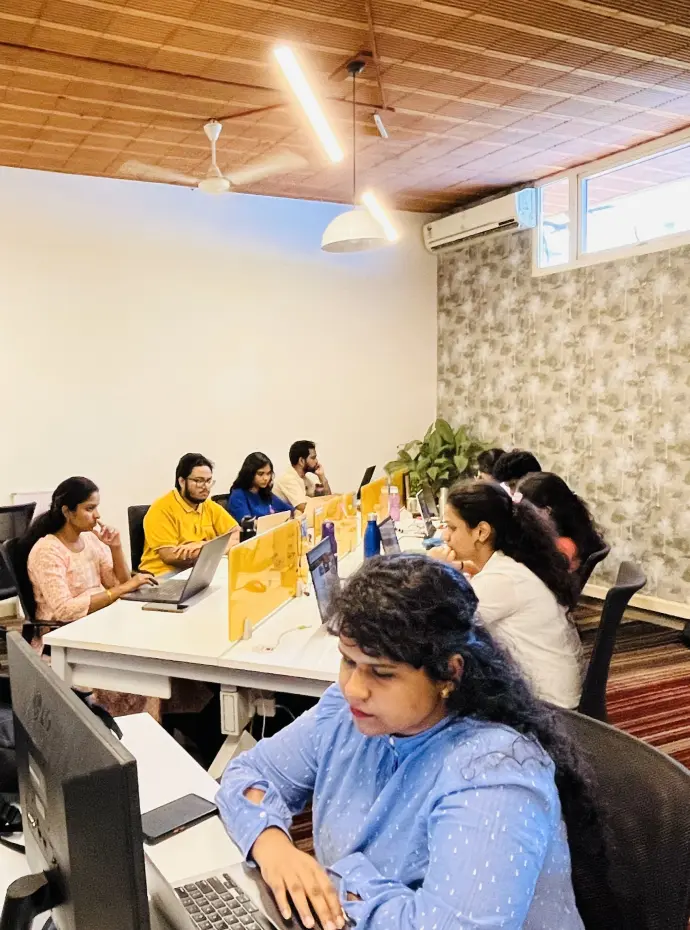
Guest Critics / Industry Experts
Your programme lead and mentors are practising product designers. Every week your work is reviewed the way a studio reviews it — live, in writing, and against real product standards.

Udhay Shankar
Creative Design Head


Rahul Kusuma
Research Head


Santosh Lamani
Design Lead


Smrithi
Lead Product Designer

Written feedback
Weekly live critique
Studio-style reviews
The curriculum
Every module opens with a story from an Indian product team — then you build. Tap a module to see what you ship.
Optional · Before Week 1
New to Figma? Start with the bridge course.
A short on-ramp, not a closed door.
01
Learn Figma basics
Frames, auto-layout, components and a simple type system.
→
02
Make a few screens
Recreate 2–3 app screens you use every day.
→
03
Get the green light
Our advisor tells you honestly when you’re ready.
View full curriculum
All 14 modules · what you ship each week · tools used
Get every lesson, tool and deliverable
Full 14-module curriculum as a PDF, straight to your inbox.
Your design career starts with the right foundation. Build your skills, develop your portfolio and gradually grow into more advanced product design roles.
01
UI/UX Designer
02
Product Designer
03
AI Product Designer
04
Senior Product Designer
05
Design Lead
No job or salary guarantees. Career outcomes depend on your work, your market and your effort — we focus on helping you build the portfolio and skills these roles look for.
Learner stories
From both plans — Course Only and Course + Internship.
AR
Ananya Rao
UI/UX Designer
★★★★★
“One workflow from research to prototype. My case study finally shows how I think.”
RS
Rohit Sharma
UI Designer
★★★★★
“PowerUp’s AI modules changed how I work. I use AI for research and wireframes now — and I know when to take back control.”
SI
Sneha Iyer
UX Designer
★★★★
“The weekly critique at PowerUp Academy was worth it alone. I designed Case studies designed that clearly communicate process and decisions.”
KM
Karthik Menon
Product Designer
★★★★★
“A live product, senior reviews and an experience letter — real work to talk about in interviews.”
AK
Aditya Kulkarni
Product Designer
★★★★
“The internship put me on a live GoProtoz project. I learnt MCP handoff with real developers — no course had shown me that.”
MN
Meera Nair
Associate Product Designer
★★★★★
“Nine weeks with PowerUp and a month in the studio. I walked into interviews with two case studies and real client work.”
FAQs
No. You don’t need a design degree or a design job — just basic Figma familiarity. The projects and weekly critique meet you where you are, and the short bridge course gets you ready if you’re new to Figma.

Live online classes
2 portfolio case studies
AI-powered design workflow
Weekly mentor critique
Want real studio experience?
Explore Course + Internship
The 9-week course plus a 1-month GoProtoz studio internship